What is Video to Frames?
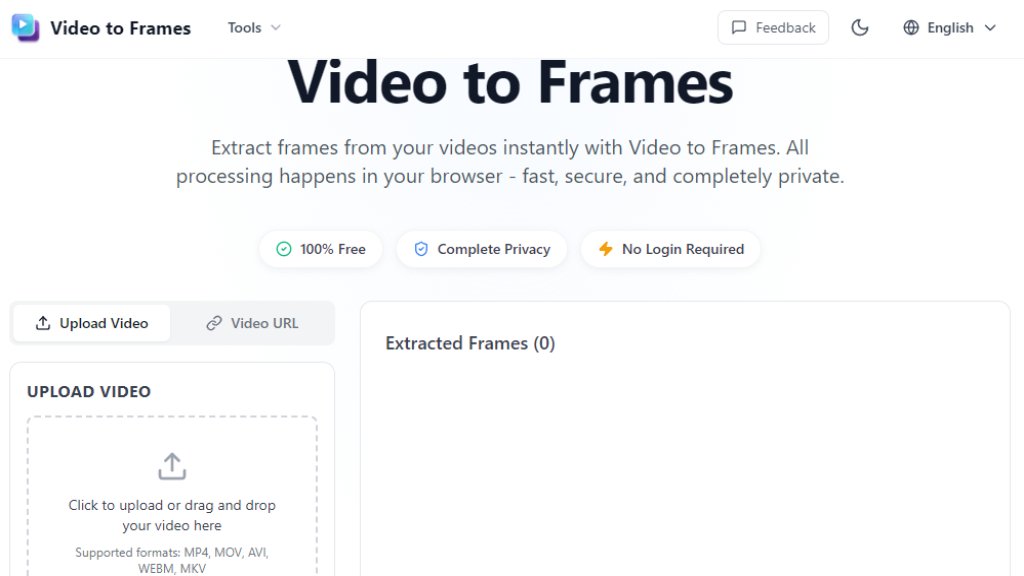
Video to Frames is an online tool designed to extract individual frames from video files. It operates entirely within a user's web browser using WebAssembly technology, which means all video processing happens locally on the user's device. This approach ensures that video files are never uploaded to external servers, guaranteeing complete privacy and security. The tool is built to be fast and convenient, allowing users to select specific frames per second (FPS) rates for extraction or grab all frames from a video. It supports common video formats like MP4, MOV, AVI, WEBM, and MKV. The primary value proposition is its combination of being completely free, requiring no user registration, and maintaining user privacy through client-side processing.
Main Features
1. 100% Client-Side Processing: All video processing occurs locally in the browser using WebAssembly. No data is sent to external servers.
2. Complete Privacy and Security: User videos never leave their device. The service does not store, transmit, or access any uploaded video files.
3. No Login or Registration Required: The tool can be used instantly without creating an account or providing any personal information.
4. Flexible Frame Extraction: Users can extract frames at any desired FPS (frames per second) or choose to extract all frames from the video.
5. Multiple Output Options: Extracted frames can be downloaded as high-quality PNG images or smaller-size JPG files, either individually or in a batch.
6. Broad Format Support: Works with common video formats including MP4, MOV, AVI, WEBM, and MKV.
7. Simple Three-Step Workflow: The process involves uploading a video, configuring settings (like FPS), and extracting/downloading the frames.
Use Cases
1. Content Creation: Extracting thumbnail images for YouTube videos, social media posts, blogs, or promotional materials.
2. Video Analysis and Research: Analyzing video content frame-by-frame for academic research, quality control, forensic analysis, or detailed inspection.
3. Animation and Game Design: Creating sprite sheets or animation sequences by converting video clips into a series of individual frames.
4. Education and Training: Extracting specific frames from educational or instructional videos to use in presentations, study guides, or documentation.
5. General Media Editing: Grabbing a perfect still image from a personal or professional video for various editing or archival purposes.
Supported Languages
1. The website interface and tool instructions are presented in English.
2. The tool itself processes video files irrespective of the audio or subtitle language within the video, as it focuses on visual frame extraction.
Pricing Plans
1. Free Plan: The tool is 100% free with no hidden costs, no subscriptions, and no limits on the number of videos processed. All features are available without registration.
Frequently Asked Questions
1. Q: Is Video to Frames completely free to use?
A: Yes, it is 100% free with no hidden costs, subscriptions, or limits on video processing. No registration is required.
2. Q: Do I need to create an account or sign in?
A: No account is needed. You can use the tool instantly without any registration or login.
3. Q: Is my video data safe and private?
A: Absolutely. All processing happens locally in your browser. Your videos never leave your device, and the service does not store or access them.
4. Q: What video formats are supported?
A: It supports common formats like MP4, MOV, AVI, WebM, MKV, and others that your browser can play.
5. Q: What are the file size and video length limits?
A: For best performance, videos under 1GB and 10 minutes are recommended. Files up to 2GB can be processed but may take longer. On mobile, under 200MB is optimal.
Pros and Cons
Pros:
- Entirely free with no usage limits or hidden fees.
- Exceptional privacy due to 100% local, browser-based processing.
- Extremely convenient with no login or account creation required.
- Fast and simple three-step user interface.
- Offers flexible control over frame extraction rate (FPS).
- Supports a wide range of common video formats.
Cons:
- Performance is dependent on the user's device hardware and browser capabilities.
- Has practical limits for very large files (e.g., over 1GB or long 4K videos may process slowly).
- Lacks advanced editing features for the extracted frames (it is purely an extraction tool).
- Being a web tool, it requires an internet connection to load, though processing is offline.
Recommendation Rating
9/10 (An excellent, privacy-focused tool that delivers on its core promise efficiently and for free, with minor limitations only for extreme use cases.)



Please login to post a comment
Login