What is Vidveo3 Veo 3 AI Video Generator?
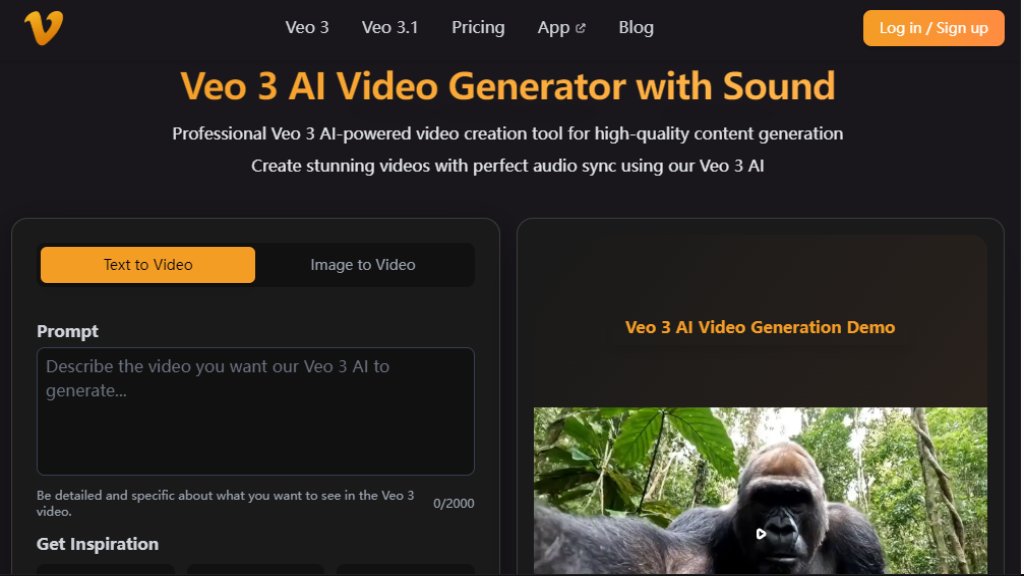
Vidveo3 Veo 3 AI Video Generator is an intelligent video creation platform that leverages advanced Veo 3 technology to produce dynamic videos from text descriptions or static images. This tool simplifies video production by automating the complex process of animation and sound synchronization. Users can input detailed prompts or upload images, and the system generates professional-quality videos complete with background audio. It's designed for creators, marketers, and businesses needing fast, high-quality video content without extensive editing skills. The platform supports various video formats and resolutions, making it suitable for social media, marketing campaigns, and creative projects.
Main Features
1. Dual Generation Modes: Choose between text-to-video creation or image-to-video conversion for flexible content creation.
2. Advanced Veo 3 Technology: Utilizes cutting-edge AI for natural motion, smooth transitions, and context-aware video processing.
3. High-Quality Output: Generates videos in 1080p resolution with detail preservation, suitable for commercial use.
4. Integrated Audio: Automatically includes synchronized background sound effects with videos, enhancing the viewing experience.
5. Multiple Model Support: Offers Veo 3, Veo 3 Fast, Veo 3.1, and Veo 3.1 Fast models for different quality and speed requirements.
6. User-Friendly Interface: Features a simple three-step process for uploading, configuring, and generating videos.
7. Fast Processing: Delivers video results typically within 20 to 60 seconds, depending on complexity.
Use Cases
1. Social Media Content: Quickly produce engaging short videos for platforms like Instagram, TikTok, and YouTube.
2. Marketing and Advertising: Create promotional videos, product demonstrations, and brand storytelling content.
3. Creative Projects: Develop animated scenes, visual effects, and cinematic moments for artistic endeavors.
4. Educational Content: Transform static educational images or concepts into dynamic, explanatory videos.
5. Business Presentations: Enhance reports and pitches with professional video segments generated from text or charts.
Supported Languages
1. The website interface and primary user instructions are in English.
2. The AI model is designed to process and generate video content based on English text prompts.
3. Support for other languages in prompts or interface is not explicitly mentioned on the provided website content.
Pricing Plans
1. Basic Plan: $10 for a one-time purchase of 1000 credits. Includes access to Veo 3 & Veo 3 Fast models, up to 8-second video generation, 1080p resolution, and basic rendering speed.
2. Pro Plan: $30 for a one-time purchase of 3300 credits. Includes all Basic features plus video with sound effects and faster rendering speed. This is highlighted as the 'Most Popular' plan.
3. Enterprise Plan: $99 for a one-time purchase of 11880 credits. Includes all Pro features plus lip sync support, fastest rendering speed, commercial usage rights, and priority support.
Frequently Asked Questions
1. Q: What is Veo 3 AI and how does it work?
A: Veo 3 AI is an advanced video generation platform. It offers two main modes: text-to-video generation from descriptions, and image-to-video conversion from uploaded images.
2. Q: What image formats are supported for image-to-video?
A: The platform supports JPEG (JPG) and PNG formats. You can upload one image at a time, with each file under 10MB.
3. Q: How long does it take to generate a video?
A: Generation typically takes 20-60 seconds, depending on the complexity of the input and the desired video effect.
4. Q: Is the payment a one-time fee?
A: Yes, payments are one-time purchases for credits. There are no subscription fees, monthly charges, or hidden costs.
5. Q: Do the purchased credits expire?
A: No, all purchased credits are valid forever with no time restrictions on their use.
Pros and Cons
Pros:
- Offers a convenient one-time credit purchase model with no subscriptions.
- Provides fast video generation, typically under a minute.
- Supports dual input modes (text and image) for flexible creation.
- Includes synchronized sound effects automatically with videos.
- Delivers high-quality 1080p output suitable for professional use.
Cons:
- Video generation is limited to a maximum of 8 seconds per clip on all plans.
- The cheapest plan offers relatively few credits (1000) for the price.
- Advanced features like lip sync are locked behind the highest-tier plan.
- Lacks a free trial or free tier to test the service before purchasing.
Recommendation Rating
7.5/10 (A powerful tool for quick, short-form video creation, but limited by clip duration and lack of a free tier.)



Please login to post a comment
Login