What is Lumfuse AI Image Combiner?
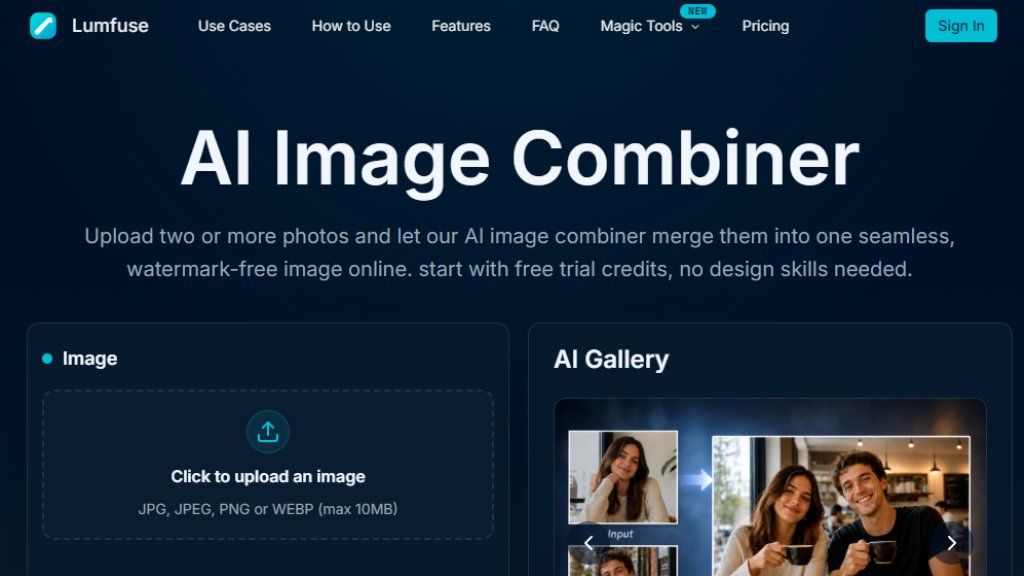
Lumfuse AI Image Combiner is an innovative online tool that uses artificial intelligence to merge two or more photos into a single, cohesive image. Unlike traditional collage makers, it analyzes lighting, perspective, and content to re-render the merged result, making it look like one natural photograph rather than a patchwork of cutouts. It supports JPG, PNG, and WEBP uploads and offers a variety of aspect ratios for different platforms. The tool is designed for users of all skill levels, requiring no design expertise or software installation. With a simple interface, you can upload images, add a text prompt for creative control, select an aspect ratio, and generate a high-resolution, watermark-free image in seconds. It's perfect for creating family portraits, combining scenes, or making side-by-side comparisons. The service offers free trial credits upon sign-up, with flexible subscription and pay-as-you-go options for continued use.
Main Features
- Smart AI Blending: The AI re-renders the seam between images, matching lighting, edges, and shadows for a natural, cohesive result.
- Prompt-Guided Style Control: Add a text prompt to steer the mood, lighting, and composition of the merged image.
- Watermark-Free Output: All downloads are delivered without watermarks, in high resolution.
- Multiple Aspect Ratios: Choose from 1:1, 16:9, 9:16, 3:2, and 2:3 to fit various platforms like Instagram, YouTube, posters, and wallpapers.
- Support for Multiple Images: Combine more than two images into a single composition, up to 5 images per generation on paid plans.
- High-Resolution Output: Export print-ready PNG files suitable for posters and 4K wallpapers.
- Free Trial Credits: New users get 10 free credits to start combining images without any upfront cost.
- Flexible Pricing: Subscription plans with monthly credits, plus pay-as-you-go credit packs; unused credits roll over.
- Commercial Use License: Paid plans include a commercial use license.
- Priority Generation: Paid plans offer priority or top-priority generation queues for faster processing.
Use Cases
- Family Portraits: Combine individuals from different photos into one realistic family portrait, even if they were never in the same room.
- Group Photos: Merge multiple friends or family members into a single natural-looking shot for reunions or events.
- Travel Collages: Combine multiple travel photos into one cohesive scene for recaps or social media.
- Before/After Comparisons: Place two images side by side in a clean split-screen for fitness progress, design comparisons, or transformations.
- Brand Visuals: Merge product images or mood board elements into a single composition for marketing materials.
- Wallpapers and Posters: Create custom phone wallpapers (9:16) or printable posters (3:2, 2:3) with high-resolution output.
- Background Replacement: Combine a portrait with a different background scene, blending the subject naturally into the new environment.
- Creative Projects: Use prompt-guided blending to create unique, artistic images for personal or professional projects.
Supported Languages
- English
(Note: The website interface is primarily in English. However, the tool is accessible to non-English speakers as prompts can be written in any language, though the AI may respond best to English prompts.)
Pricing Plans
- Free Plan: $0. Includes 10 credits on sign-up, combine up to 2 images per generation, standard resolution output, shared generation queue, 1 concurrent job, personal use only.
- Plus Plan: $8.39/month (billed yearly) or $9.99/month (monthly, not shown but implied). Includes 600 credits per month, combine up to 5 images per generation, HD resolution output, priority generation queue, up to 2 concurrent jobs, no ads, commercial use license.
- Pro Plan: $13.99/month (billed yearly) or $16.99/month (monthly, not shown). Includes 1500 credits per month, combine up to 5 images per generation, HD resolution output, top-priority generation queue, up to 4 concurrent jobs, no ads, commercial use license, early access to new features.
- One Time Packs: Pay-as-you-go credit packs are available, but specific pricing is not listed on the page.
Frequently Asked Questions
- What is an AI image combiner?
An AI image combiner is an online tool that uses artificial intelligence to merge two or more photos into a single image. Unlike a basic collage maker, it analyzes lighting, perspective, and content to produce a seamless, naturally blended result.
- How do I combine two images into one?
Upload two photos, add a text prompt describing the result you want, pick an aspect ratio, and click generate. The AI aligns and blends the photos automatically.
- How is this different from a collage maker?
A collage maker simply places photos in fixed slots side by side. The AI image combiner re-renders the merged image, matching lighting and edges so the photos look like one scene.
- Can I merge more than 2 images at once?
Yes, the AI



Please login to post a comment
Login