What is AI Presentations?
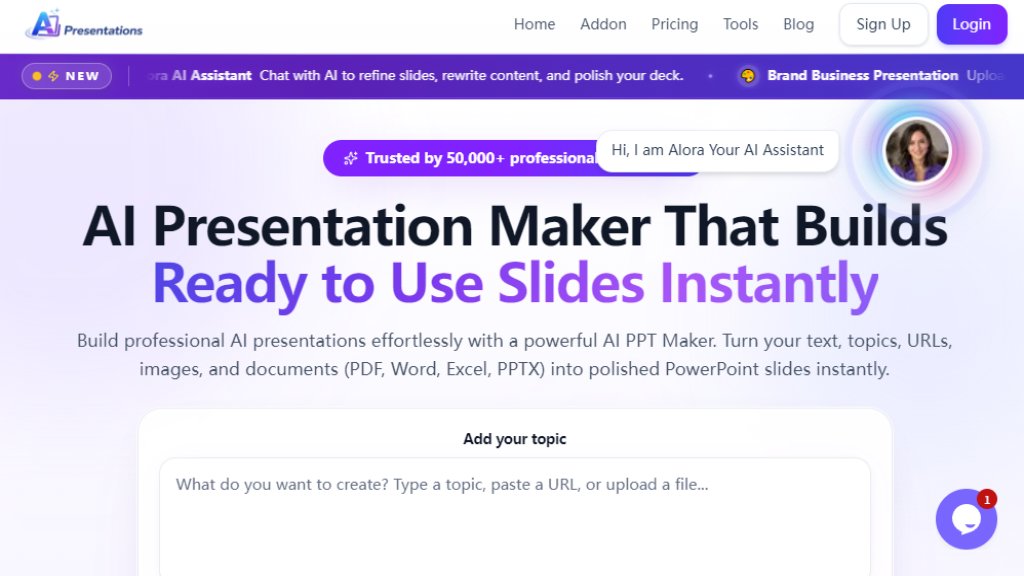
AI Presentations is an innovative online tool that uses artificial intelligence to automatically generate professional PowerPoint presentations. It allows users to create complete slide decks from a simple topic, text, uploaded files (PDF, Word, Excel, images), or URLs. The platform features an AI assistant named Alora that helps refine and edit slides within the browser. It is designed to save time on formatting and structuring, enabling users to focus on content and delivery. The tool is trusted by over 50,000 professionals and offers export to fully editable PPTX files.
Main Features
- AI Slide Generation: Creates complete presentations from a single prompt, topic, or uploaded document.
- Multiple Input Formats: Supports text, URLs, PDFs, Word documents, Excel files, images, and YouTube videos.
- AI Chat Assistant: Allows users to refine slides, rewrite content, and add visuals directly within the editor.
- Browser-Based Editor: Edit titles, bullets, themes, and layout in real time without additional software.
- Export to PowerPoint: Downloads presentations as fully editable PPTX files with proper formatting.
- 9+ Premium Themes: Offers professional layouts and customization options for branding.
- Brand Business Presentation: Upload logos, colors, and fonts for consistent branding.
- AI Pitch Deck Generator: Creates investor-ready pitch decks from startup ideas.
- Built-in Image Search: Adds visuals to slides without leaving the platform.
- 18 AI Tools: Includes converters for PDF, YouTube, Word, Excel, and more.
Use Cases
- Business Pitches: Create compelling pitch decks for clients or investors quickly.
- Marketing Strategy: Turn plans and goals into structured, easy-to-follow slides.
- Research Reports: Present data-driven findings with clear methodology and visuals.
- Training Materials: Build simple training presentations for teams.
- Sales Proposals: Generate professional proposals that highlight value.
- Project Updates: Share progress and milestones in an understandable format.
- Team Meetings: Prepare agendas and talking points without manual effort.
- Investor Decks: Explain business vision and data to investors.
- Product Launches: Showcase product features and plans with clear slides.
- Social Strategy: Turn content ideas into shareable presentation formats.
- Market Research: Break down insights into easy-to-present slides.
- Book Reports: Summarize books or long content into structured presentations.
Supported Languages
- English
- Spanish
- French
- German
- Chinese
- Japanese
- Hindi
- Portuguese
- Arabic
- Russian
- Korean
- Italian
- And over 100+ global languages for content generation and interface.
Pricing Plans
- Free: $0/month. Includes up to 10 slides per generation, 10 slide credits per month, 20 AI chat messages, and preview-only export.
- Basic: $6.25/month (billed annually at $75/year). Offers 30 slides per generation, 1,400 monthly slide credits, 280 AI chat messages, full PPTX export, and access to all input formats.
- Pro: $8.17/month (billed annually at $98/year). Provides unlimited slides per generation, unlimited monthly slide credits, unlimited AI chat messages, priority support, and all features unlocked.
Frequently Asked Questions
- What is AI PPT Maker and how does it work?
AI Presentations is an AI-powered presentation maker that generates professional slide decks from text, URLs, or uploaded documents. Describe your topic, and the AI creates a complete presentation with content and visuals.
- What input formats are supported?
You can create presentations from plain text, URLs, PDFs, Word documents, Excel spreadsheets, PowerPoint files, and images. Just upload a file or paste a URL.
- Can I edit slides after AI generates them?
Yes. You can fully edit every element in the browser editor. You can also ask the AI to make changes, such as modifying titles or adding visuals, without manual work.
- What file format do I get when I export?
You export a standard PowerPoint file (PPTX) that can be opened in Microsoft PowerPoint, Google Slides, Apple Keynote, or any software supporting PPTX.
- Are AI Presentations free to use?
Yes, the tool offers a free trial with limited features. The Freemium plan allows you to create presentations and export with generous limits. Upgrade to Basic or Pro for unlimited access.
- Can I switch between monthly and annual billing?
Yes. You can choose monthly or annual billing before checkout and switch plans later. Your next billing cycle follows the plan chosen at renewal.
Pros and Cons
Pros:
- Fast and automated slide generation from various inputs.
- User-friendly browser-based editor with real-time editing.
- High-quality PPTX export maintains formatting.
- AI chat assistant for easy refinement.
- Supports over 100 languages for global use.
- Affordable pricing with a free tier available.
Cons:
- Free plan has limited slide credits and export is preview only.
- Advanced features require paid plans.
- Some users ma






Please login to post a comment
Login