What is AI Remover?
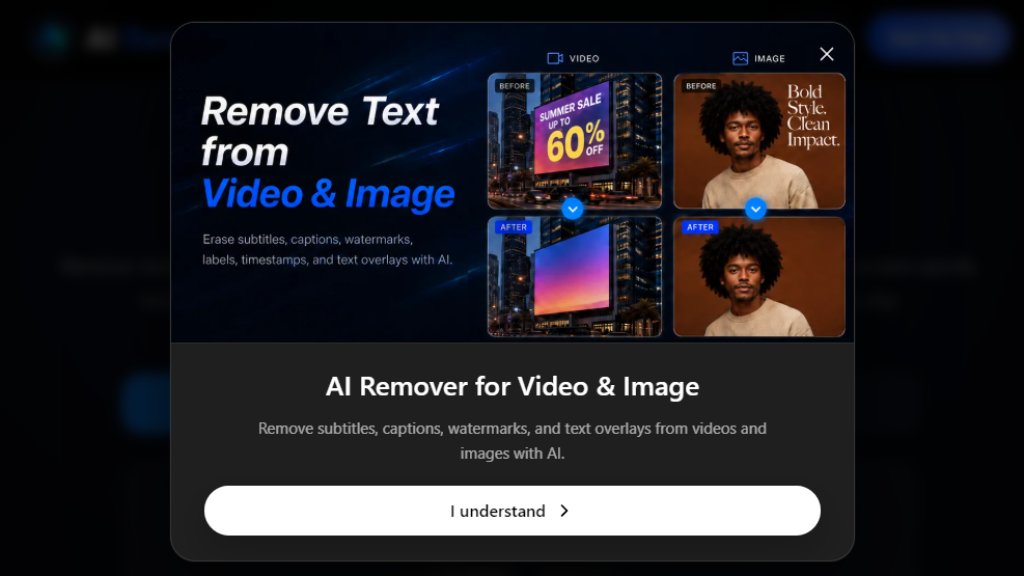
AI Remover is an online tool that uses intelligent algorithms to remove unwanted text from videos. It can clean hardcoded subtitles, captions, labels, timestamps, and watermarks, preserving the natural background for cleaner footage ready for editing or republishing.
Main Features
- Video Text Remover: Automatically remove on-screen text overlays from video clips.
- Subtitle and Caption Removal: Clean burned-in subtitles and auto captions.
- Watermark Removal: Remove logos and watermark overlays from videos.
- Image Text Remover: Also supports removing text from images.
- Manual Area Selection: Mark specific areas for precise cleanup.
- Multiple Format Support: Works with MP4, MOV, and WebM files.
- Resolution Options: Supports up to 1080P output on higher plans.
- Preview and Download: Preview the cleaned video before downloading.
- Credit-Based System: Each removal uses credits from your plan.
- Storage: Videos are stored for 30 days.
Use Cases
- Content Repurposing: Clean old videos with timestamps or labels for reuse on new platforms.
- Video Editing: Remove hardcoded subtitles before adding new translations or captions.
- Social Media: Prepare clips for reposting without unwanted text overlays.
- Marketing: Clean promotional videos that have baked-in captions or watermarks.
- Education: Remove date stamps or labels from training footage.
- Personal Projects: Clean home videos of on-screen text for sharing.
Supported Languages
- English
Pricing Plans
- Starter: $9.9 per month (billed monthly at $9.9). Includes 1,500 credits/month, 25 videos, 33 images, no ads, no watermark, up to 15 minutes video length, 30-day storage.
- Plus: $19.9 per month (billed monthly at $19.9). Includes 4,500 credits/month, 75 videos, 100 images, priority processing, 480P/720P/1080P resolution.
- Premium: $49.9 per month (billed monthly at $49.9). Includes 12,000 credits/month, 200 videos, 266 images, priority processing, 480P/720P/1080P resolution.
- Annual plans offer 30% discount (prices shown: Starter $24/month, Plus $40/month, Premium $100/month when billed annually).
Frequently Asked Questions
- What is a video text remover? A video text remover is an online tool that helps remove text from video frames when the words are already baked into the footage. AI Remover can clean labels, captions, subtitles, timestamps, and other visible text overlays while keeping the background as natural as possible.
- How do I remove text from video online? Upload your video, select the text areas, and let AI clean them. Preview and download the result.
- Can I remove subtitles from video? Yes, AI Remover can clean burned-in subtitles from video clips.
- Can I remove captions from video? Yes, it removes captions, lower-thirds, labels, and other text overlays.
- Will removing text reduce video quality? The tool aims to preserve natural background detail and reduce blur or smudges.
- What video formats does AI Remover support? It supports MP4, MOV, and WebM formats.
Pros and Cons
Pros:
- Fast and convenient online text removal.
- Supports multiple video formats.
- Preserves background quality.
- Offers preview before download.
- Various pricing tiers for different needs.
Cons:
- Credit-based system may limit usage.
- No free tier mentioned beyond trial.
- Only supports English language interface.
- Requires manual area selection for precision.
Recommendation Rating
8/10 (A powerful and fast tool for cleaning text from videos with flexible plans, though credit system and language support could be improved.)






Please login to post a comment
Login