What is AI SVG?
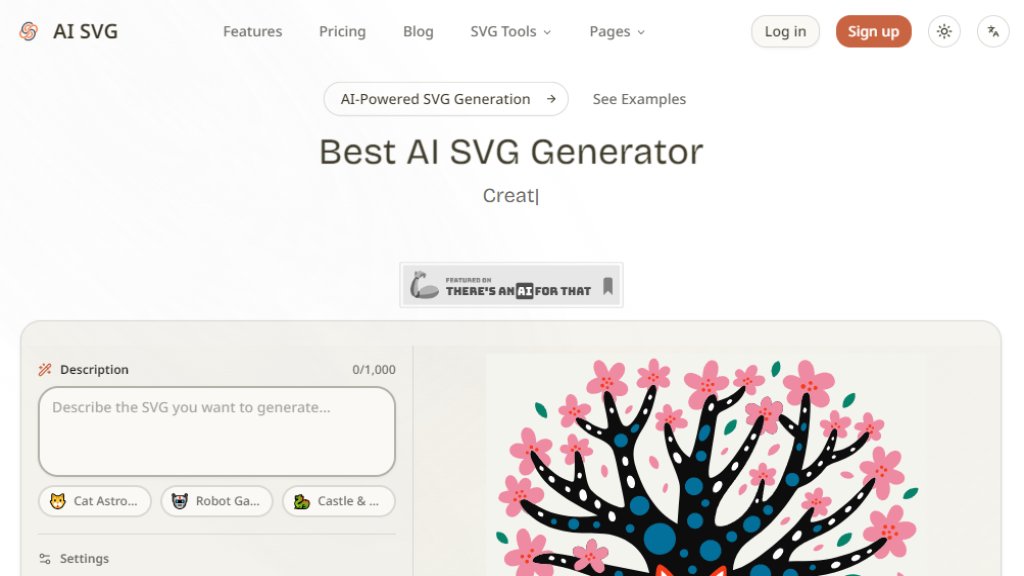
AI SVG is an innovative online platform that uses advanced artificial intelligence to generate high-quality, infinitely scalable SVG (Scalable Vector Graphics) from simple text descriptions. It eliminates the need for complex design software or manual drawing skills, allowing users to create professional vector graphics like icons, logos, illustrations, and badges in seconds. The tool offers a choice of three AI models (Basic, Pro, Max) and over 22 artistic styles, providing flexibility and control over the final output. Users can generate SVGs, preview them in real-time, and download the files or copy the SVG code for direct use in websites, apps, and design projects. With a generous free tier and flexible credit-based pricing, AI SVG is designed for both casual creators and professional designers.
Main Features
- 3 AI Models: Choose from Basic (20B), Pro (V4), or Max (V4-Pro) for different quality and speed needs.
- 22+ Artistic Styles: Includes Vector Illustration, Cartoon, Kawaii, Line Art, Engraving, Flat 2.0, and 11 icon styles.
- Multiple Aspect Ratios: Generate SVGs in Square, Standard, Widescreen, Portrait, or Photo ratios.
- Instant Download & Copy: Download SVG files or copy raw SVG code to clipboard with one click.
- Infinitely Scalable Vectors: SVGs remain crisp at any size, from mobile screens to billboards.
- Prompt Templates: Pre-optimized templates for icons, logos, illustrations, and badges.
- Real-Time Preview: See generated SVGs immediately in the browser.
- Credit-Based Flexible Pricing: Pay per use with credits; Basic generation starts at 10 credits.
- No Watermark on Paid Plans: Commercial use allowed on Starter and Pro plans.
- Batch Generation: Supported on paid plans for creating multiple SVGs at once.
Use Cases
- Web & App Development: Generate custom icons, illustrations, and UI elements for websites and applications.
- Graphic Design & Branding: Quickly prototype logos, brand illustrations, and visual assets.
- Social Media & Content Marketing: Create vector graphics for posts, headers, and presentations.
- Product Design & UI/UX: Produce UI icons, empty state illustrations, and onboarding graphics.
- Education & Learning: Create diagrams, visual aids, and illustration materials for teaching.
- Print & Merchandise Design: Generate scalable artwork for business cards, posters, and products.
Supported Languages
- English
- Chinese (Simplified)
- French
- German
Pricing Plans
- Free: $0/month, 20 credits per month (plus 40 free on signup), Basic AI model only, SVG download with watermark, no commercial use, no batch generation.
- Starter: $9.9/month ($118.8/year), 500 credits per month, Basic + Pro AI models, SVG download without watermark, commercial use allowed, batch generation support, 30-day history retention, priority customer support.
- Pro: $19.9/month ($238.8/year), 1200 credits per month, all AI models (Basic + Pro + Max), SVG download without watermark, commercial use allowed, batch generation support, permanent history retention, dedicated customer support.
- Credit Packages (one-time purchase): 300 credits for $9.9, 800 credits for $19.9, 1500 credits for $29.9, 2200 credits for $39.9. All without watermark, SVG download included.
Frequently Asked Questions
- Q: What is an AI SVG Generator?
A: An AI SVG Generator is a tool that uses artificial intelligence to create SVG vector graphics from text prompts, allowing users to generate scalable graphics without design skills.
- Q: Is the AI SVG Generator free to use?
A: Yes, it offers a free tier with 20 monthly credits and a 40-credit registration gift, but free usage includes watermarks and no commercial use.
- Q: What styles are available?
A: Over 22 styles including Vector Illustration, Cartoon, Kawaii, Line Art, Engraving, Flat 2.0, and 11 icon styles like Colored Outline and Gradient Shapes.
- Q: Can I use the generated SVGs commercially?
A: Yes, commercial use is allowed on the Starter and Pro paid plans.
- Q: How do credits work?
A: Credits are used per generation; Basic model starts at 10 credits per generation. Credits are consumed based on the model and style chosen.
- Q: What if I'm not satisfied with the result?
A: You can regenerate the SVG with one click at no extra credit cost if within the same session.
Pros and Cons
Pros:
- Fast generation of high-quality, scalable vector graphics.
- Wide variety of styles and models for different needs.
- Generous free tier with no credit card required.
- Clean, intuitive interface with real-time preview.
- Commercial use available on affordable paid plans.
Cons:
- Free plan includes watermarks and limited model access.
- Credit system may require careful management for heavy users.
- No standalone desktop app; requires internet connection.
Recommendation Rating
8/10 (Excellent tool for fast SVG creation with great style variety and fair pricing; free tier is a strong entry point.)



Please login to post a comment
Login