What is ArchRender?
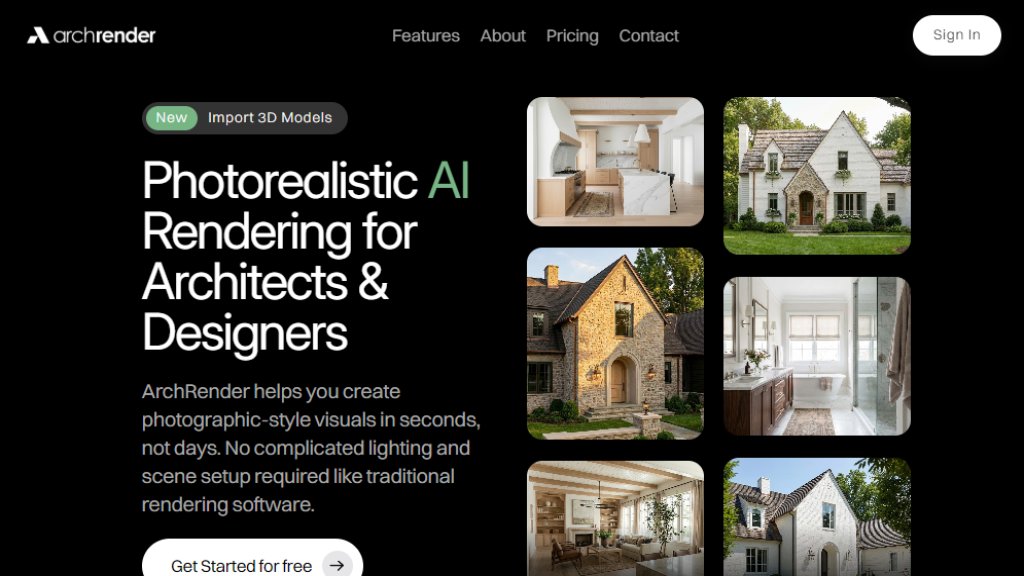
ArchRender is an innovative web-based platform designed specifically for architects and designers. It leverages advanced artificial intelligence to automate the creation of photorealistic renderings from 3D models. The core value proposition is speed and simplicity, allowing users to bypass the lengthy, technically demanding processes associated with traditional rendering software like complex lighting and scene configuration. Users can import their 3D models, adjust intuitive parameters, and generate high-quality visualizations almost instantly. It serves as a powerful tool for conceptualization, client presentations, and design iteration, making professional-grade visualization accessible without requiring deep rendering expertise.
Main Features
1. Import and render 3D models from popular architectural software (supports OBJ, FBX files).
2. Intelligent seasonal control to visualize designs in spring, summer, fall, or winter conditions.
3. Adjustable time of day for precise control over lighting, shadows, and atmospheric effects.
4. Selectable environment contexts to place designs in various natural or developed settings.
5. Comprehensive 3D model view controls for adjusting camera angle, field of view (FOV), and aspect ratio.
6. Exterior and interior mood board integration where the AI interprets colors, finishes, and style from an uploaded image.
7. 4K image upscaling capability for creating crisp, high-resolution outputs suitable for print and presentations.
8. Prompt-driven control using natural language to guide materials, style, mood, and lighting.
9. Save custom prompts for instant application to future renders, maintaining a consistent style.
10. Edit Mode for iterative refinement, allowing users to explore alternate styles and perfect their vision.
11. Project-based workflows that organize all renders, source images, and files in one place.
12. Version-friendly iteration to generate and compare multiple design options without overwriting previous work.
Use Cases
1. Architectural visualization for client presentations and proposals.
2. Interior design previews to plan spaces and select finishes.
3. Real estate development marketing to create compelling visuals for properties.
4. Urban planning and landscape design to visualize projects in different seasons and times of day.
5. Design education and student projects for quickly iterating on concepts.
6. Product design visualization for furniture and fixtures within architectural contexts.
7. Fast conceptual design studies to explore multiple stylistic directions from a single model.
8. Creating print-ready marketing materials and portfolio pieces with 4K resolution outputs.
Supported Languages
The website content and interface are presented in English. The platform's core functionality, specifically the prompt-driven control feature, accepts natural language input, which is optimized for English descriptions to guide the AI in generating renders. There is no explicit list of multiple supported interface languages provided on the referenced website content.
Pricing Plans
1. Basic Plan: Priced at $29 per month (with annual billing at a 20% discount from $39/month). Includes 150 credits per month, 5 projects, 5 GB storage, 3D model import, 4K image upscaling, and basic support.
2. Pro Plan: Priced at $49 per month (with annual billing at a 20% discount from $59/month). Includes 300 credits per month, 20 projects, 25 GB storage, 3D model import, 4K image upscaling, and priority support.
3. Studio Plan: Priced at $119 per month (with annual billing at a 20% discount from $139/month). Includes 1000 credits per month, unlimited projects, 100 GB storage, 3D model import, 4K image upscaling, and priority support.
All plans are preceded by a free tier to get started, though its specific limits are not detailed in the provided content.
Frequently Asked Questions
1. Q: What is ArchRender?
A: ArchRender is a photorealistic AI rendering tool that helps architects and designers create photographic-style visuals in seconds from 3D models, without complicated traditional setup.
2. Q: Who is ArchRender for?
A: It is designed for architects, designers, and visualization professionals who need to create high-quality renders quickly for presentations, client work, and design exploration.
3. Q: Do I need rendering experience to use ArchRender?
A: No, the platform is built to be intuitive and does not require prior rendering expertise. The automated AI handles the complex aspects.
4. Q: How fast can I get results?
A: Renders are generated in seconds, providing a fast alternative to traditional rendering methods that can take hours or days.
5. Q: What 3D file types are supported?
A: The platform supports common 3D file formats including OBJ and FBX.
6. Q: How does the credit system work?
A: Credits are consumed for generating renders. Different plans offer monthly credit allowances (e.g., 150 for Basic, 300 for Pro, 1000 for Studio).
Pros and Cons
Pros:



Please login to post a comment
Login