What is Bcut?
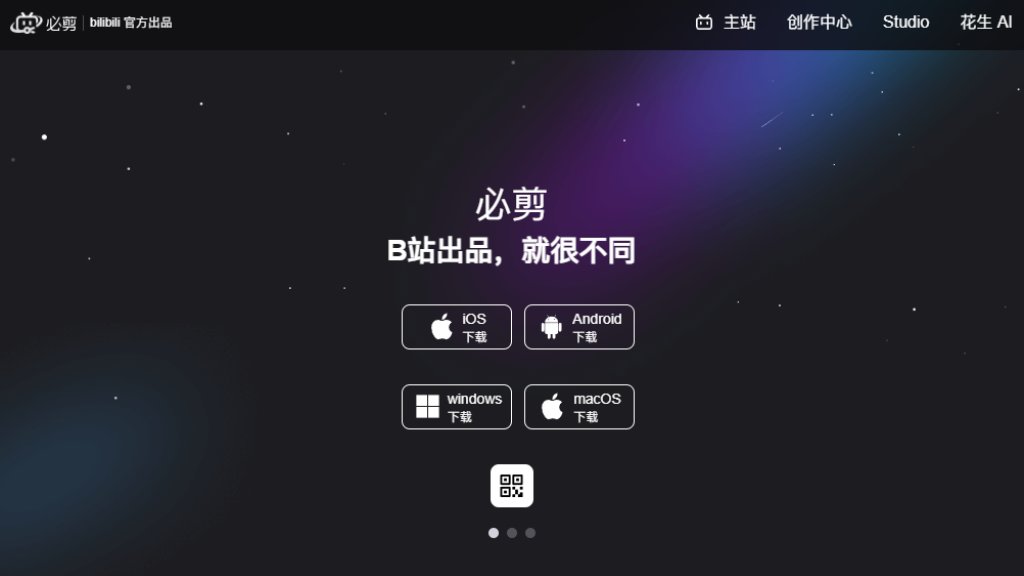
Bcut is an official video editing software developed by Bilibili specifically for its content creators, known as UP主. It is a desktop application that integrates intelligent editing tools with direct access to Bilibili's ecosystem. The tool is built to streamline the video creation workflow from editing to publishing on the Bilibili platform. Its core value lies in providing a creator-friendly environment with features tailored for the types of content popular on Bilibili, such as gaming commentaries, vlogs, and tutorials. By offering seamless account integration and a library of trending assets, Bcut removes technical barriers, allowing creators to focus on producing engaging videos quickly and efficiently.
Main Features
1. Intelligent Subtitle Generation: Automatically converts speech to text and synchronizes it with video frames for accurate, fast captioning.
2. Vast Creative Asset Library: Provides access to a massive collection of popular music (BGM), stickers, text templates, visual effects, and professional transitions.
3. Direct Bilibili Integration: Allows users to log in with their Bilibili account for one-click video uploading and publishing to the platform.
4. Comprehensive Editing Workspace: Features a multi-track timeline for frame-by-frame precision editing, giving users full control.
5. Screen Recording: Includes a built-in HD screen recorder, ideal for capturing gameplay and live commentary (primarily on Windows).
6. Signature 'Triple Interaction' Sticker: Enables easy addition of Bilibili's iconic 'One-Click Triple' interaction elements (like, favorite, coin) anywhere in the video.
Use Cases
1. Bilibili UP主 creating gaming highlight reels, tutorials, or live commentary videos.
2. Content creators producing vlogs, reviews, or educational content for direct publishing on Bilibili.
3. Users needing fast, automated subtitle generation and synchronization for their videos.
4. Editors looking for a convenient tool with a rich library of trendy music, effects, and Bilibili-specific assets.
5. Beginners seeking an intuitive editing software with professional features to start video creation.
Supported Languages
1. The primary interface and core functionality are designed for Chinese users, supporting Simplified Chinese.
2. The automated speech-to-subtitle feature is optimized for Mandarin Chinese audio.
Pricing Plans
1. Based on the analysis of the provided materials and common practices for official Bilibili creator tools, Bcut appears to be offered free of charge to users. There is no mention of subscription tiers, one-time purchases, or premium plans in the reference materials.
Frequently Asked Questions
1. Q: Is Bcut only for Bilibili creators?
A: Yes, it is specifically designed for Bilibili UP主, with features like direct publishing and platform-specific assets.
2. Q: What platforms does the Bcut desktop app support?
A: It is available for Windows. The screen recording feature is specifically noted for the Windows version.
3. Q: Does Bcut require a Bilibili account?
A: A Bilibili account is required for logging in and using the one-click publishing feature to upload videos directly.
4. Q: Can I use Bcut for videos not intended for Bilibili?
A: While possible for basic editing, its core value and integrated assets are optimized for the Bilibili platform and community.
Pros and Cons
Pros:
1. Highly convenient and integrated workflow for Bilibili creators, from editing to publishing.
2. Powerful automated subtitle tool that saves significant time and effort.
3. Access to a vast, updated library of music and creative assets popular on Bilibili.
4. User-friendly interface suitable for both beginners and experienced editors.
5. Officially developed by Bilibili, ensuring good platform compatibility and support.
Cons:
1. Primarily tailored for the Bilibili ecosystem, limiting its appeal for creators on other platforms.
2. Language support is focused on Chinese, which may be a barrier for international users.
3. Feature availability, like screen recording, may be limited by operating system (Windows-focused).
Recommendation Rating
9/10 for Bilibili-focused creators. Bcut is an exceptional, specialized tool that perfectly serves its target audience. It combines intelligent automation with deep platform integration and a rich asset library, making video production fast and convenient. The main deduction is for its limited applicability outside the Bilibili platform and language scope.



Please login to post a comment
Login