What is CodeFlying?
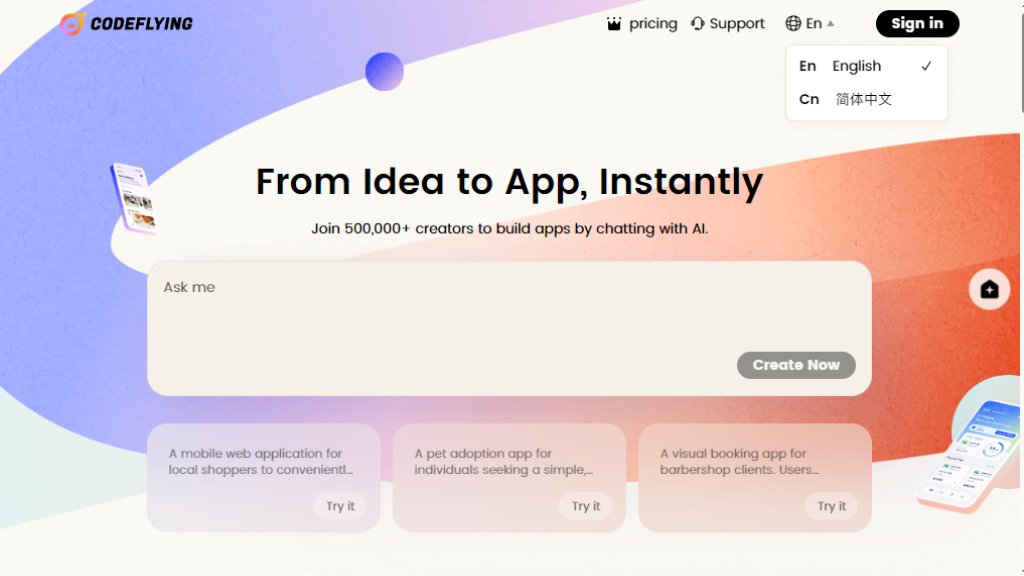
CodeFlying is an innovative application development platform that allows users to create functional mobile applications simply by describing their ideas in natural language. It serves as a bridge between conceptualization and implementation, enabling both technical and non-technical users to build mobile web pages, mini-apps, and native apps through an intelligent conversational interface. The platform automates the entire development process, from requirement analysis to code generation and deployment, significantly reducing the time and expertise traditionally required for app creation. By leveraging advanced AI models, CodeFlying interprets user prompts and generates complete, working applications that can be published and shared immediately.
Main Features
1. Natural Language to App: Convert conversational descriptions directly into working mobile applications.
2. Multi-Format Publication: Publish applications as mobile web pages, mini-apps, or native mobile apps.
3. One-Click Deployment: Host and deploy applications instantly with a single publish button.
4. Source Code Access: Download the generated front-end application source code for further customization.
5. Built-in Features: Configure login functionality (Google or email/code) and payment integration (Stripe).
6. Multi-Agent AI Development: Utilizes a combination of large language models for optimal code generation.
7. App Management Dashboard: Create, modify, delete, and manage multiple applications from a central interface.
Use Cases
1. Smart AI Assistants: Build custom AI applications like automated copywriting tools or specialized consultants.
2. Business Platforms: Create full-featured e-commerce stores or trading platforms to sell products online.
3. Management Systems: Develop digital managers for project tracking, inventory, or company resource consolidation.
4. Life Efficiency Tools: Build personal productivity apps like to-do lists or subsidy application portals.
5. Educational Platforms: Create personalized coaching or teaching assistants for course publishing and student management.
6. Prototyping & MVP Development: Quickly validate app ideas with functional prototypes to gather user feedback.
Supported Languages
1. Development Interface: Primarily English for conversational app creation.
2. Generated Applications: Applications can support multiple languages based on user requirements.
3. Output Code: Java and Vue.js for the generated application source code.
Pricing Plans
1. Free Plan: $0/month. Includes 2 free daily generations, 2 app builds, 0 app publishes, economic AI model, and no source code download.
2. Basic Plan: $25/month. Includes 40 monthly generations, 5 free daily generations, 10 app builds, 1 app publish, advanced AI model, and unlimited source code downloads.
3. Advanced Plan: $40/month. Includes 100 monthly generations, 10 free daily generations, 100 app builds, 20 app publishes, ultimate AI model, and unlimited source code downloads.
4. Premium Plan: $200/month. Includes 500 monthly generations, 50 free daily generations, 1000 app builds, 200 app publishes, ultimate AI model, and unlimited source code downloads.
Frequently Asked Questions
1. Q: Is CodeFlying free?
A: Yes, there is a free plan with limited generations. You can try it for free and upgrade when satisfied.
2. Q: What kind of apps can I build?
A: You can build most mobile applications including AI assistants, business platforms, management systems, life tools, and educational platforms.
3. Q: Can I enable a login feature in my app?
A: Yes, you can configure login with Google or email/verification code.
4. Q: Can I download the source code?
A: Yes, you can download the front-end source code, but it's recommended for technical users.
5. Q: Will my app work forever after publishing?
A: Apps remain online as long as your membership is active. Free preview links expire after a few hours.
6. Q: How is 'generation' calculated?
A: Each new conversation to build or modify an app, from requirement to preview, consumes one generation.
Pros and Cons
Pros:
1. Extremely fast and convenient app development without coding knowledge.
2. Powerful one-click deployment eliminates complex hosting setup.
3. Innovative natural language interface makes app creation accessible.
4. Flexible publication options for different mobile formats.
5. Generous free tier allows for idea testing and prototyping.
Cons:
1. Generation limits on lower-tier plans may restrict heavy usage.
2. Currently outputs code only in Java and Vue.js, limiting tech stack flexibility.
3. Mobile browser experience is less optimized compared to desktop.
4. Advanced customization requires technical knowledge of the generated codebase.
Recommendation Rating
8/10 (Excellent for rapid prototyping and non-technical users seeking to build functional mobile apps quickly through conversation.)



Please login to post a comment
Login