What is Sketchflow?
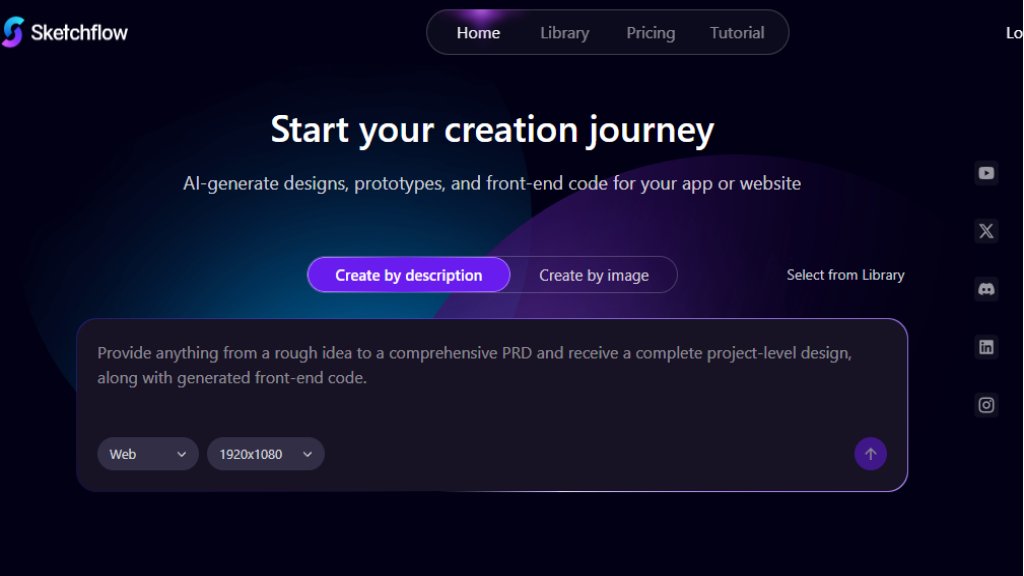
Sketchflow is an innovative AI tool designed for product designers, developers, and entrepreneurs. It transforms ideas into interactive prototypes and functional front-end code rapidly. Users can start from a simple text description or by uploading a reference image. The platform then intelligently generates complete user workflows, high-fidelity interface designs, and ready-to-use code for web, mobile, tablet, and desktop projects. It serves as an end-to-end solution to bridge the gap between concept and a tangible, editable design prototype, significantly speeding up the early stages of product development.
Main Features
1. AI-Generated Designs: Create entire project-level designs, including pages and content, from textual descriptions or uploaded images.
2. Flexible Workflow Generation: Instantly visualize and edit clear user journey maps and workflows based on described features.
3. Multi-Platform Code Export: Generate front-end code for various platforms and frameworks like React.js, with future support for native iOS (Swift) and Android (Java).
4. Interactive Prototyping & Simulation: Edit designs with precision and simulate the generated code in a cloud environment to test functionality.
5. Responsive Design Library: Access a template library with popular styles (e.g., glass morphism, dark mode) and design for all screen types.
6. Collaborative Tools: Share projects with others and export designs in multiple formats including HTML and Sketch.
Use Cases
1. Rapid Prototyping: Quickly generate interactive prototypes for web or mobile apps from a basic idea or Product Requirements Document (PRD).
2. Design Inspiration & Transformation: Convert screenshots or rough sketches into polished, editable interface designs.
3. Front-End Development Acceleration: Produce boilerplate front-end code to kickstart development, reducing manual coding time.
4. Product Demonstration: Create high-quality demos and workflows to visualize app journeys for stakeholders or clients.
5. Multi-Screen Design Projects: Efficiently design consistent user interfaces for websites, iOS apps, Android apps, tablets, and desktop applications.
Pricing Plans
1. Free Plan: $0/month. Includes 100 initial credits, 40 daily credits, 5 creatable projects, core design editing, and sharing. No export feature.
2. Plus Plan: $25/month (monthly) or $22.5/month (yearly). Includes 1000 monthly credits, 40 daily credits, unlimited projects, and adds export capabilities (HTML, Sketch, etc.).
3. Pro Plan: $60/month (monthly) or $54/month (yearly). Includes 3000 monthly credits, 40 daily credits, unlimited projects, and full export features.
Frequently Asked Questions
1. Q: What are credits and how are they consumed?
A: Credits are used for AI operations. Generating a page with 3 images consumes approximately 18 credits, changing a page style about 5, and each AI edit instruction about 5. Actual use varies with complexity.
2. Q: Do unused credits expire?
A: Unused credits from your current plan roll over to the next billing cycle and remain valid until the end of that cycle. The system uses rolled-over credits first.
3. Q: What formats can I export my designs in?
A: The Plus and Pro plans allow export in formats like HTML and Sketch, supporting team collaboration and further development.
4. Q: Does Sketchflow support native mobile app code generation?
A: It currently supports web frameworks like React.js. Native iOS and Android app code generation is under development and coming soon.
Pros and Cons
Pros:
- Extremely fast from idea to interactive prototype and code.
- Convenient dual creation methods (text and image input) offer flexibility.
- Powerful code generation for multiple platforms accelerates development.
- Useful free plan for testing and small projects.
- Intuitive for visualizing and editing user workflows.
Cons:
- Credit system can be complex; heavy image generation consumes credits quickly.
- Native mobile app code export is not yet available, limiting immediate use for some developers.
- Advanced features and exports require a paid subscription.
Recommendation Rating
8/10 (A powerful and innovative tool that dramatically speeds up design prototyping and front-end scaffolding, ideal for startups and designers, though the credit model and pending mobile code features are minor drawbacks.)



Please login to post a comment
Login