What is MyInk.ai?
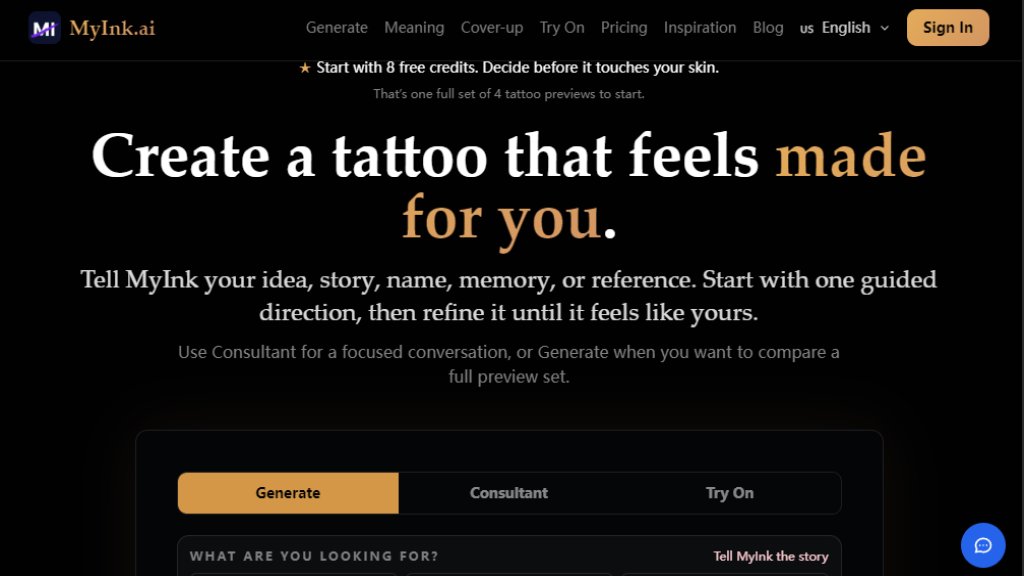
MyInk.ai is a specialized AI tattoo generator and planning tool that helps users design custom tattoo art in seconds. Unlike generic image generators, MyInk is built specifically for tattoo art, with AI models and style presets fine-tuned to produce designs that translate authentically from screen to skin. It allows users to explore ideas, compare styles, and preview designs on their actual body using a virtual try-on feature, all before stepping into a tattoo studio. The tool supports 10 curated tattoo styles, including Traditional, Minimalist, Watercolor, Geometric, Realistic, Japanese, Tribal, Dotwork, Blackwork, and Neo-Traditional. It also offers features like a Meaning Composer for memorial tattoos, a Cover-up flow for hiding old ink, an Aging Simulator to see how a design will look over 20 years, and an Artist Brief PDF generator for a professional handoff. MyInk starts with 8 free credits for one full design set, and users can purchase additional credits or subscribe for more features.
Main Features
- AI Tattoo Generator: Describe your idea, choose a style, and get a 4-image design set including sketch, two finished options, and a placement preview in 15-30 seconds.
- Virtual Try-On: Upload a photo of yourself to see how a tattoo design will look on your body, including forearm, shoulder, back, chest, and other placements.
- 10 Curated Tattoo Styles: Access styles like Traditional, Minimalist, Watercolor, Geometric, Realistic, Japanese, Tribal, Dotwork, Blackwork, and Neo-Traditional, each fine-tuned for tattoo art.
- Meaning Composer: A 4-question story tool that turns a personal narrative into three vetted symbol routes, ideal for memorial or meaningful tattoos.
- Cover-up Flow: Upload an old tattoo to explore four cover-up directions, with guidance on coverage risk and aging.
- Aging Simulator: Preview how a design will age over 20 years, showing changes in contrast and line weight.
- Artist Brief PDF: Generate a professional handoff document with stencil notes, line weight guidance, and placement geometry for your tattoo artist.
- Consultant Mode: A focused conversation mode to refine your tattoo idea step by step.
- Mobile App: Available on iOS and Android for planning, saving, and trying on tattoos on the go.
- Credit System: Start with 8 free credits, then purchase one-time credit packs or subscribe for monthly credits with no-watermark saves and 4K generation.
Use Cases
- First Tattoo Planning: Experiment with styles and placements to find a design you love before committing.
- Memorial Tattoos: Use the Meaning Composer to create a symbolic, culturally respectful design for a lost loved one.
- Cover-up Ideas: Explore directions to hide an old or regretted tattoo with realistic previews.
- Sleeve or Large Piece Design: Test structure and flow for full or half sleeves across multiple placements.
- Artist Consultation Preparation: Generate an Artist Brief PDF with all necessary details for a professional handoff.
- Style Comparison: Compare different tattoo styles on the same concept to see which suits you best.
- Regret Prevention: Use the Aging Simulator and try-on to avoid designs that may age poorly.
- Gift Ideas: Design a custom tattoo for a friend or partner as a thoughtful gift.
Supported Languages
- English
Pricing Plans
- Free Preview: $0, 8 free credits (enough for one full design set: sketch, two finished options, and placement preview).
- Starter Credits: $4.99 one-time, 25 credits (for continued exploration and refinements).
- Session Credits: $9.99 one-time, 60 credits (for testing multiple styles and placements).
- Pro+ Monthly: $9.99 per month, 200 credits every month, no-watermark saves.
- Pro+ Yearly: $99.99 per year, 200 credits per month, 4K generation option, no-watermark saves.
- Appointment-ready Bundle: Use after credits, includes main design, variants, stencil notes, and artist brief (price not listed).
- Meaning Bundle: Use after credits, includes story capture, three symbol directions, and meaning notes (price not listed).
- Cover-up Bundle: Use after credits, includes private upload, five cover-up directions, and aging notes (price not listed).
Frequently Asked Questions
- Is this AI tattoo generator really free?
Yes, new users start with 8 free credits. A normal design run creates a 4-image set for 8 credits, so you can judge one complete direction before buying more.
- What AI model powers the tattoo generator?
MyInk uses a tattoo-specific image pipeline with prompt refinement before generation, optimized for clean linework, alternate directions, and placement previews that translate better from screen to skin.
- Can I use the AI-generated tattoo designs for a real tattoo?
Yes, use the generated set as reference material, then create a 2-credit artist PDF for a simple handoff. A professional tattoo artist should still adapt line weight, size, and placement for real skin.
- What tattoo styles can the AI generate?
MyInk offers 10 curated tattoo styl



Please login to post a comment
Login