What is Roblox GUI Maker?
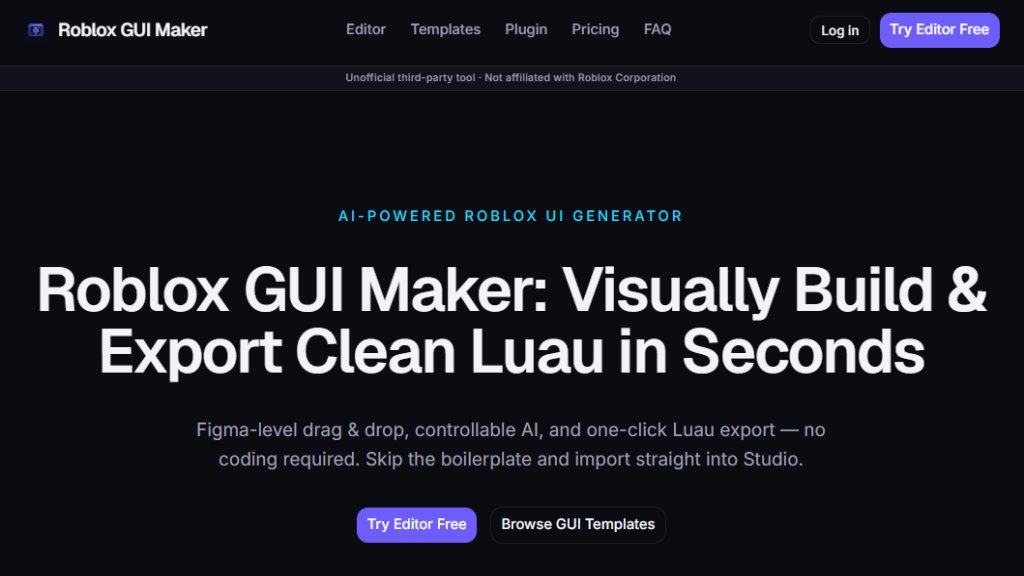
Roblox GUI Maker is a web-based tool that lets you visually design Roblox GUIs using a drag-and-drop editor and an AI generator. You type a prompt in plain English, like 'pet shop GUI with a 3x3 egg grid and a green Buy button,' and it returns a working layout with editable Luau code. The visual canvas allows you to refine elements by adjusting Scale, Offset, anchor points, and colors. You can then export the Luau as a commented LocalScript to paste into Roblox Studio's StarterGui. It is an unofficial third-party tool, not affiliated with Roblox Corporation, designed to speed up UI development for Roblox game creators.
Main Features
- Drag-and-Drop Editor: Compose ScreenGui layouts on a visual canvas. Tweak Scale/Offset, anchor points, and Z-index without leaving the browser.
- Controllable AI Generation: Describe the UI in plain English and get clean, editable Luau — not a black box. Refine on the canvas afterwards.
- One-Click Luau Export: Export production-ready Luau for StarterGui, or push straight into Studio with the companion plugin.
- Device Preview: Toggle Desktop, Tablet, and Mobile in the editor. Scale-based UDim2 sizing keeps your UI sharp on every device.
- Template Library: Twelve hand-built layouts covering common Roblox UI patterns: inventories, shops, HUDs, leaderboards, dialogue boxes, and obby start screens. Every template includes real Luau logic.
- Studio Plugin (in development): A companion plugin for Roblox Studio will allow direct sync; currently you can export Luau and paste it manually.
- Multiple Export Formats: Export as Luau, JSON, or a ZIP bundle containing Luau, JSON, and a README.
Use Cases
- Simulator Games: Generate click counters, rebirth badges, pet hatch panels, and currency HUDs with tweened pop numbers and mobile thumb-zone layouts.
- FPS & Tactical Games: Drop in ammo counters, health and armor bars, a center crosshair, and a kill feed. Designed for low clutter and clean scaling.
- Roleplay & RPG Games: Generate character sheets, dialogue boxes with typewriter text, branching quest choices, and inventory grids with item rarity colors.
- Obby & Casual Games: Create start screens, checkpoint timers, stage counters, and rules panels pre-wired with big tappable buttons.
- Commercial Game Development: Use generated GUIs in any Roblox game that earns Robux through gamepasses, developer products, or Premium payouts.
Supported Languages
- English (the tool interface and AI generation are optimized for English prompts)
Pricing Plans
- Free: $0/month. Includes drag-and-drop editor, 50 AI generation credits per month, Luau code export, free template library, and community tier Studio plugin.
- Pro: $9.99/month. Includes everything in Free, plus unlimited AI generations, premium template library, priority Figma to Roblox import, Studio plugin Pro features, and priority email support.
- Student/Indie Developer Discount: 50% discount for students with a valid .edu email and indie developers earning less than $1,000 from Roblox games in the past 12 months. Contact support to apply.
- Refund Policy: 14-day money-back guarantee for Pro subscriptions. Marketplace template purchases also eligible for 14-day refund if template is broken or significantly differs from description.
Frequently Asked Questions
- Do I need to know Lua to use Roblox GUI Maker? No. The drag-and-drop editor builds your GUI visually, and the AI generator writes editable Luau for you.
- Is Roblox GUI Maker free? Yes, the Free plan includes the full visual editor, all free templates, and 50 AI generation credits every month. The Pro plan adds unlimited credits and premium templates.
- How does the Luau export work? When you click Export, we generate a self-contained LocalScript that programmatically builds your entire UI hierarchy. Paste it into StarterGui in Roblox Studio, hit Play, and your GUI appears exactly as designed.
- Do the templates include real game logic? Yes, every template ships with production-ready Luau. Shops include MarketplaceService prompts, inventories include drag-and-drop and DataStore stubs, leaderboards include OrderedDataStore integration.
- Can I use the generated GUIs in commercial Roblox games? Yes, GUIs you generate or build with Roblox GUI Maker are yours to use in any Roblox game, including ones that earn Robux.
- What export formats does Roblox GUI Maker support? Three formats: Luau as a commented LocalScript, JSON project file, or a ZIP bundle containing Luau, JSON, and a README.
Pros and Cons
Pros:
- Visual drag-and-drop editor eliminates manual UDim2 math.
- AI generates editable Luau, not a black box.
- Templates include real game logic, not just static visuals.
- Device preview for mobile, tablet, and desktop.
- Free plan offers 50 AI credits per month.
Cons:
- Studio plugin is still in development, requires manual export for now.
- AI generation limited to 50 credits per month on Free plan.
- Only supports English language.
- Figma import is not yet a



Please login to post a comment
Login