What is FixPixelatedPhotos?
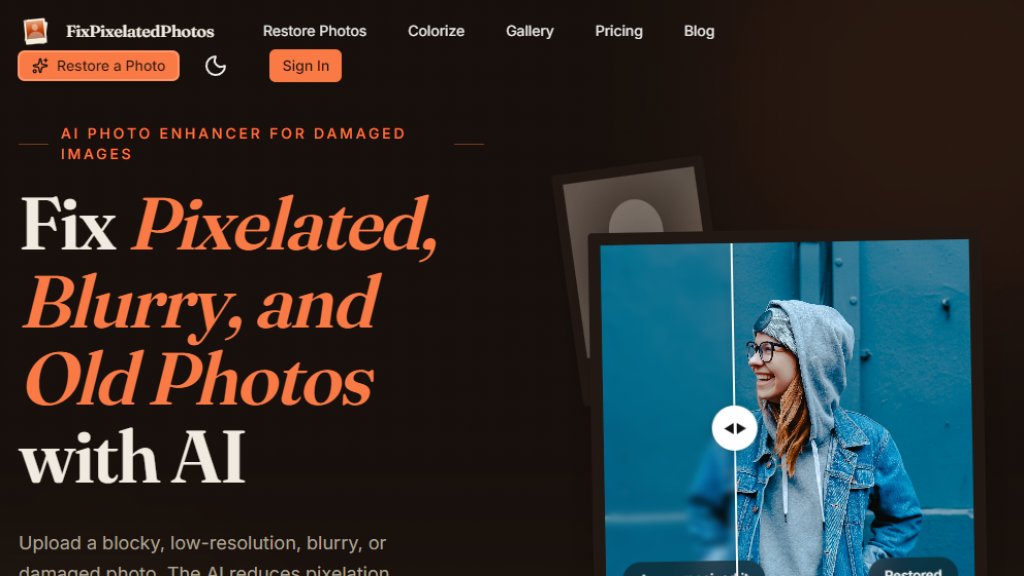
FixPixelatedPhotos is an AI-powered online tool designed to restore and enhance damaged, pixelated, blurry, or low-resolution photos. It uses advanced algorithms to reduce blocky artifacts, sharpen soft details, repair old-photo damage like tears and stains, and upscale images to cleaner HD or 4K quality. The tool is built with a focus on privacy, automatically deleting uploaded photos from servers within 24 hours and never using them for training. It offers a simple workflow: upload a photo, let the AI process it in 8-15 seconds, compare before and after, and download the enhanced version. With over 12,000 families trusting the service, it caters to both casual users restoring family memories and professionals needing batch processing. The platform also includes a colorization feature for black-and-white photos, with era-appropriate color choices.
Main Features
- Pixelation reduction: Removes blocky square artifacts and sharpens jagged edges.
- Blur and soft detail improvement: Enhances photos from compression, camera shake, or digital zoom.
- Old-photo damage repair: Cleans water stains, scratches, tears, creases, and mildew marks.
- Colorization: Adds natural, period-accurate colors to black-and-white photos.
- Upscaling to HD and 4K: Enlarges small images to print-ready quality.
- Face enhancement: Improves facial details for clearer portraits.
- Batch processing: Available on Family plan for restoring entire albums.
- Privacy-focused: Auto-deletes photos in 24 hours, no tracking pixels, SOC 2 Type II audited.
- Faithful restoration: AI is tuned to restore, not invent details.
- Email support: Priority and dedicated support on higher plans.
Use Cases
- Restoring old family photos with water damage, tears, or fading.
- Enhancing pixelated or blurry images from low-resolution scans or phone uploads.
- Colorizing black-and-white photos for modern sharing or printing.
- Improving product images for e-commerce listings.
- Preparing photos for small prints or framed canvases.
- Restoring historical images for genealogical projects.
- Batch processing entire photo albums for gifts or family archives.
Supported Languages
The website is primarily in English. The tool interface is in English. There is no explicit list of supported languages, but the tool is designed for global users with English as the main language.
Pricing Plans
- Free: 1 free restoration per visitor, no credit card required.
- Basic: $9.90/month (billed monthly) or $14.90 pay once. Includes 100 credits per month (~20 photos), 4K Ultra-HD Resolution, Face Enhancement Technology, Secure Cloud Storage, Email Support.
- Pro: $19.90/month (billed monthly) or $29.90 pay once. Includes 300 credits per month (~60 photos), 4K Ultra-HD Resolution, Face Enhancement Technology, High Priority Queue, Secure Cloud Storage, Priority Email Support.
- Agency: $39.90/month (billed monthly) or $59.90 pay once. Includes 1000 credits per month (~200 photos), 4K Ultra-HD Resolution, Advanced Face Enhancement, Fastest Priority Processing, Early Access to New Models, Commercial License, Secure Cloud Storage, Dedicated Support.
Frequently Asked Questions
Q: Will the AI invent details that weren't in the original photo?
A: No. The model is tuned to restore, not invent. If the original is too damaged to be certain, it leaves it alone.
Q: Is it safe to upload photos of deceased relatives?
A: Yes. Your photos are auto-deleted from servers in 24 hours, never used for training, and never shared.
Q: How does the colorization decide what colors to use?
A: The colorization model uses era-appropriate choices, e.g., 1940s uniforms aren't bright green, and 1960s station wagons aren't all the same color.
Q: How long does it take?
A: Each photo takes about 8-15 seconds to process.
Q: Do you keep my photos after restoration?
A: No. Photos are automatically deleted from our servers in 24 hours.
Q: What if I'm not happy with the result?
A: You can contact the support team, and they will help. Real human restorers are available for severely damaged photos.
Pros and Cons
Pros:
- Fast processing (8-15 seconds per photo).
- Strong privacy protections (auto-delete, no training use).
- Faithful restoration without inventing details.
- Supports up to 4K output for printing.
- Free trial available.
Cons:
- Limited to one free restoration per visitor.
- No mobile app; web-based only.
- Higher-tier plans needed for batch processing.
- Pricing may be high for heavy users.
Recommendation Rating
8/10 (Excellent for family photo restoration with strong privacy and quality, but limited free usage and no mobile app.)



Please login to post a comment
Login