What is FloorPlan AI?
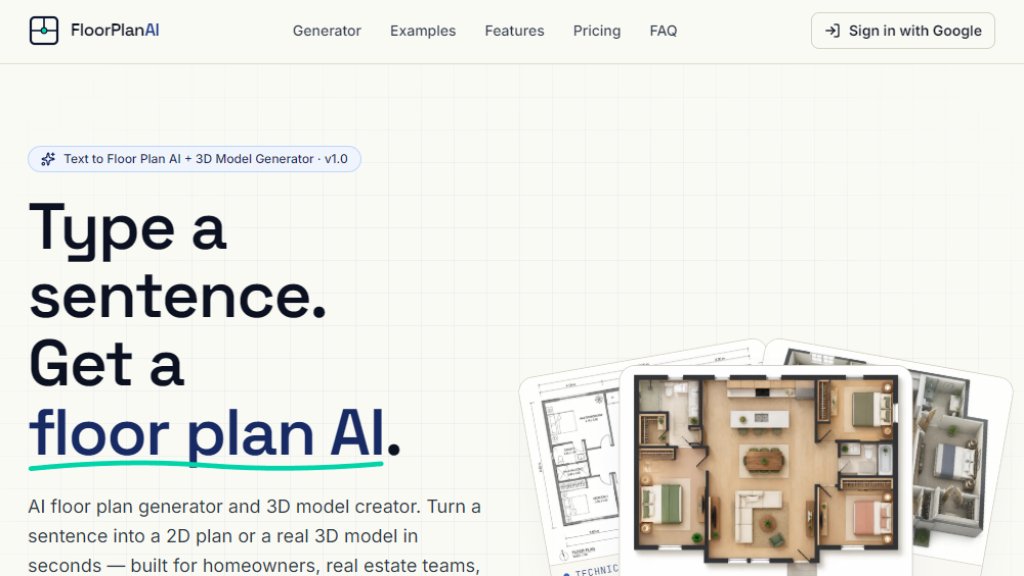
FloorPlan AI is an intelligent tool that generates 2D floor plans and 3D models from simple text descriptions. Users type a sentence describing their space—like room count, style, and size—and the AI produces a downloadable floor plan or 3D model in seconds. It offers multiple drawing styles including technical, 2.5D, 3D isometric, and watercolor, plus real 3D GLB models for use in Blender, Unity, or Unreal. The tool is designed for homeowners, real estate teams, and 3D designers, with a free trial available after Google sign-in.
Main Features
- Plain-English Prompts: Describe your space in natural language; no CAD skills needed.
- Real 3D Models (Beta): Generate downloadable GLB files for rotation, zoom, and use in 3D software.
- 7 Drawing Styles: Choose from technical, watercolor, marker pen, anime, 2.5D, 3D isometric, and photorealistic.
- 7 Interior Presets: Apply Modern, Scandinavian, Japandi, Mid-Century, Bohemian, Farmhouse, or Industrial styles.
- Image-to-Image References: Upload up to 16 reference photos to guide the AI layout.
- Free Trial: Get one free 1K floor plan after Google sign-in.
- Pay-Per-Use Credits: Credits never expire; 3D models cost 10 credits each.
- Private by Default: Prompts, images, and generated content are not used for training.
- High-Resolution Output: Download 2D plans at 1K, 2K, or 4K resolution.
- Fast Generation: 2D plans in 20-60 seconds; 3D models in 2-3 minutes.
Use Cases
- Homeowners: Sketch renovation ideas before hiring an architect. Test multiple layouts quickly.
- Real Estate Teams: Generate listing-ready floor plans and 3D walkthroughs for MLS in minutes.
- 3D Designers & Indie Creators: Create base models for Blender, Unity, Unreal, or AR/VR scenes.
- Architects: Explore concept layouts rapidly without manual drafting.
- Interior Designers: Visualize different styles and furniture arrangements for clients.
- Property Developers: Produce marketing materials for new developments with consistent floor plans.
Supported Languages
- English (primary interface and prompts)
- The tool accepts plain-English prompts and generates outputs in English. Currently, no other languages are explicitly supported, but users can input descriptions in other languages if the AI understands them; however, English is recommended for best results.
Pricing Plans
- Free: $0 forever. 1 credit on signup, 1K resolution only, all 6 drawing styles, image-to-image with up to 16 references, PNG download, daily cap of 10 credits/day.
- Pro Monthly: $19/month. 300 credits/month, all 2D resolutions (1K/2K/4K), 3D Visualization unlocked (10 credits per GLB), all 6 drawing styles + 7 interior styles, image-to-image, GLB download, higher priority queue, personal and commercial use.
- Pro Yearly: Save 20% (price not explicitly stated but implied as $182.40/year based on monthly $19).
- Team: $59/month. 1500 credits/month, everything in Pro plus bulk generation API (coming soon), branded watermark templates, priority support.
- One-Time: $19 one-time. 240 credits, no recurring billing, same features as Pro monthly but limited credits.
- Note: 3D models cost 10 credits each.
Frequently Asked Questions
- What is Floor Plan AI?
Floor Plan AI generates both 2D floor plans (top-down PNG renders in 7 drawing styles) and real 3D models (downloadable GLB files). Google sign-in required; first 1K floor plan is free, then pay per credit. 1K to 4K resolution for 2D plans, plus full 3D mesh generation.
- How accurate is the AI floor plan generator?
The AI produces layouts based on your description; accuracy depends on prompt clarity. It handles walls, doors, windows, and room labels but may not match structural specifics without references.
- Can I edit the generated floor plan?
Currently, no editing tools are provided. You can regenerate with different prompts or use image-to-image references to refine.
- What file formats can I download?
2D plans: PNG. 3D models: GLB.
- Do you train AI models on my floor plans?
No. Your prompts, images, and generated content are private and not used for training.
- Is there an API for bulk floor plan generation?
Coming soon on the Team plan.
Pros and Cons
Pros:
- Fast generation from simple text prompts.
- Multiple drawing styles and interior presets.
- Real 3D models for professional use.
- Free trial available with no credit card.
- Private and secure; no training on user data.
Cons:
- Limited editing capabilities; no on-canvas adjustments.
- 3D models cost 10 credits each, which may add up.
- Only English language support currently.
- Free plan has daily cap and resolution limit.
Recommendation Rating
8/10 (Innovative and fast tool for quick floor plan generation, but lacks editing features and has limited language support.)



Please login to post a comment
Login