What is Picture Enhancer?
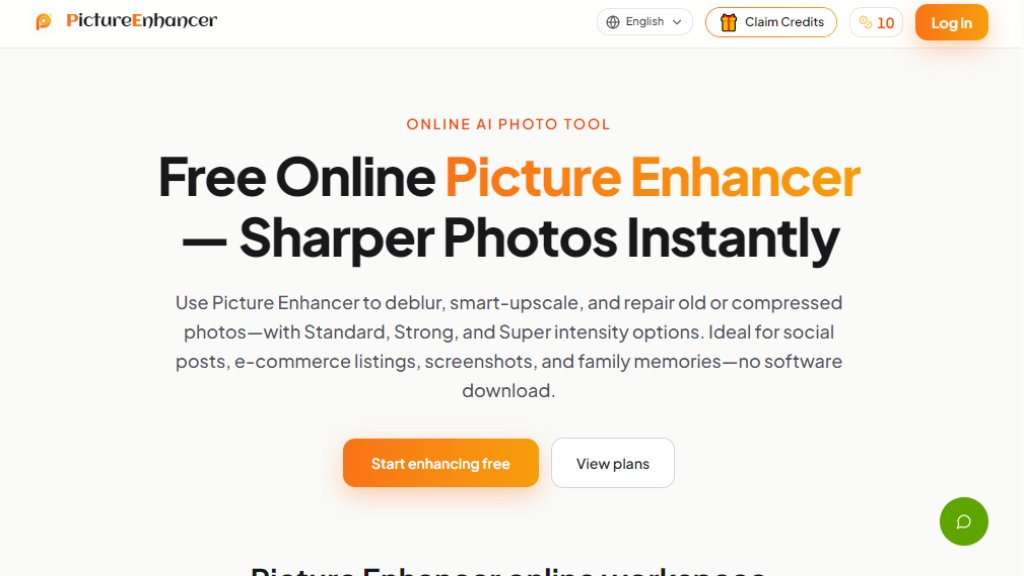
Picture Enhancer is a web-based AI photo enhancement tool that lets you improve image quality without installing any software. It focuses on three core capabilities: deblurring, smart upscaling, and photo restoration. You can choose from Standard, Strong, or Super intensity levels to tackle different levels of blur, low resolution, or damage. The tool is designed for everyday users, creators, e-commerce sellers, and anyone who wants to make their photos look sharper and more professional. It offers a free tier with three guest tries per IP, and paid plans that unlock advanced features like Super tiers and batch processing.
Main Features
- AI Deblur: Rebuilds edges and texture from camera shake, soft focus, and mild motion blur. Choose Standard, Strong, or Super deblur for clearer faces and text.
- Smart Upscale: Enlarge images by 2x or 4x, adding detail for social covers, product shots, or print previews.
- Photo Restore: Reduce scratches, fade, and compression artifacts. Strong and Super restore handle heavier damage on scanned family prints.
- Intensity Tiers: Each mode offers Standard, Strong, and Super options, allowing you to control the level of enhancement.
- Batch Processing: Subscribers and credit pack buyers can process up to 10 images at once (free users are limited to one at a time).
- Watermark-Free Downloads: Successful enhancements are downloaded without any watermark.
- Before/After Comparison: Use a slider to compare the original and enhanced image before downloading.
- My Assets: Signed-in users can revisit their enhancement history and download results later.
- Privacy: Uploads are used only to complete the enhancement request; no illegal or infringing content is allowed.
Use Cases
- Portraits & Everyday Photos: Reduce mild blur so faces and clothing look cleaner for social media feeds or portfolios.
- E-commerce & Product Shots: Upscale product detail and reduce compression noise to make listings stand out.
- Screenshots & UI Captures: Sharpen text edges for tutorials, support threads, or documentation archives.
- Old Photo Memories: Repair fade and scratches on scanned family prints, making them ready to share or print.
- Social Media Content: Enhance images before posting to Instagram, Facebook, or other platforms for a more polished look.
- Print Projects: Upscale low-resolution images for print previews or small-format prints.
Supported Languages
- English
Pricing Plans
- Free: 3 free guest tries per IP (lifetime), 10 starter credits after sign-in, Standard and Strong enhance only, 1 image at a time, JPG/PNG/WebP support.
- Starter: $8 USD/month, 200 credits/month, includes Super Deblur, 4x Upscale, Super Restore, batch processing (up to 10 images), watermark-free downloads.
- Pro: $25 USD/month, 1000 credits/month, includes all Starter features plus higher credit allowance.
- Ultra: $45 USD/month, 2000 credits/month, includes all Pro features plus even higher credit allowance for high-volume and commercial workflows.
- Permanent Credit Packs: Available for one-time purchase; they never expire and stack with subscription credits. Specific pricing not listed on the page.
Frequently Asked Questions
- Q: What is Picture Enhancer?
A: Picture Enhancer is a web-based AI photo tool for deblurring, smart upscaling, and photo restoration, with Standard, Strong, and Super intensity options.
- Q: Can I try Picture Enhancer without signing in?
A: Yes, each IP gets three free lifetime enhancements with no account credits used, one image at a time. Sign in to save history and use your credit balance.
- Q: How does billing work after sign-in?
A: Credits are deducted per successful enhancement: Standard costs 2 credits, Strong costs 4, and Super costs 6. Failed runs are not charged. New users receive 10 credits.
- Q: Will downloads include a watermark?
A: No, successful results download as watermark-free originals.
- Q: What is the difference between subscription and permanent credit packs?
A: Monthly subscriptions grant credits each month for ongoing use, while permanent packs never expire and are ideal for flexible top-ups. Both unlock Super tiers and batch processing.
- Q: Are my photos safe?
A: Uploads are used only to fulfill your enhancement request. Do not upload illegal or infringing content; see the Privacy Policy and Terms of Service for details.
Pros and Cons
Pros:
- Free tier available with 3 guest tries and 10 starter credits.
- Multiple intensity levels (Standard, Strong, Super) for fine control.
- Batch processing for paid users, saving time.
- Watermark-free downloads.
- No software installation required.
- Clear before/after comparison slider.
- Privacy-focused: uploads used only for the request.
Cons:
- Free users limited to one image at a time and no Super tiers.
- Credits can be used up quickly if using Super tiers frequently.
- Only English language supported.
- No mobile app; web-based only.
Recommendation Rating
8/10 (Powerful and easy-to-



Please login to post a comment
Login