What is Clico?
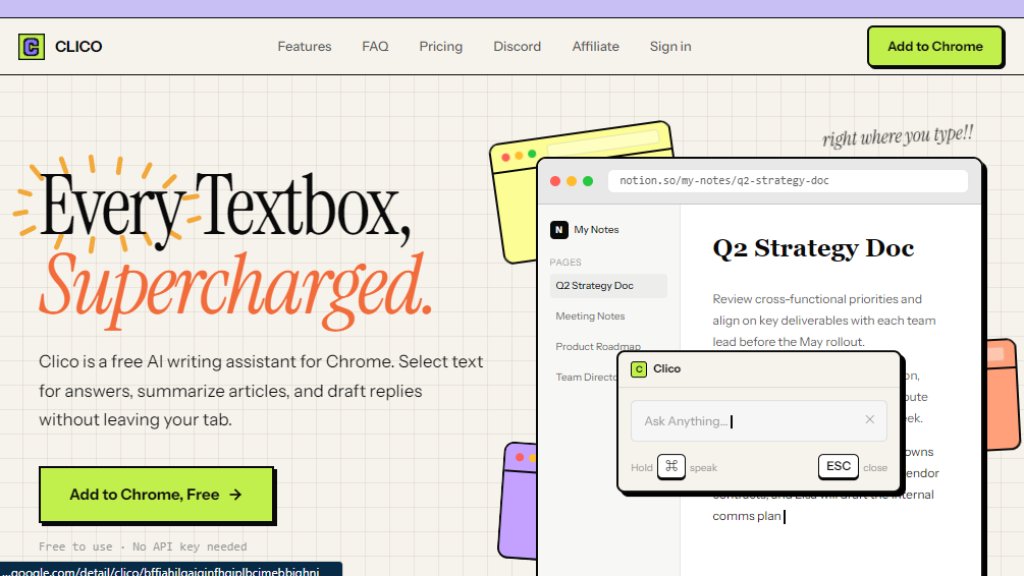
Clico is a free AI writing assistant browser extension for Chrome and other Chromium-based browsers. It lives where you type, allowing you to write, summarize, search, and draft replies directly in any text field on any website. No API key or account is needed to get started. It uses intelligent context awareness to understand what you are working on and provides fast, automated writing assistance without requiring you to switch tabs or copy-paste content.
Main Features
- Write It: AI writing in any text box on any website, triggered by pressing a shortcut key.
- Memo It: Summarize any page in two taps by double-pressing the shortcut key for a structured summary.
- Search It: Highlight any word or sentence on any page to get instant definitions, context, or search results without opening a new tab.
- Voice Dictation: Hold the command key and speak; Clico transcribes your speech and writes it in context.
- Multi-Tab Context: Type @ to pull context from any open tab into your prompt for more relevant responses.
- Web Search Built In: Integrated web search capability for up-to-date information.
- Dark Mode: Automatically activates or can be set manually in settings.
- Privacy Focused: Never reads passwords or payment fields; only activates when you use a shortcut; no background tracking or passive data collection. Built on Clerk security.
Use Cases
- Drafting emails and replies in Gmail, Outlook, or other webmail services.
- Writing and editing documents in Google Docs, Notion, or WordPress.
- Composing messages in Slack, Discord, LinkedIn, or social media platforms like X, Instagram, and TikTok.
- Summarizing long articles, reports, or research papers in any browser tab.
- Getting quick definitions or context for highlighted text without leaving the page.
- Taking notes or brainstorming ideas in any text field with voice dictation.
- Reviewing and responding to content on platforms like Reddit, Substack, and Medium.
Supported Languages
- English (primary)
- French (as shown in example)
- The tool works on any website with a text field and supports multiple languages through its AI writing capabilities, though language availability may depend on the AI model's training data.
Pricing Plans
- Clico Basic: $0/forever. No signup required. Includes 5 AI uses per day, Write It, Memo It, and web search. Works on all Chromium-based browsers.
- Clico Full Access: $0/forever. Requires a free account. Includes unlimited daily usage, everything in Basic plus voice dictation, multi-tab context with @mentions, custom preferences, and early access to new features.
- Future Plans: No paid plans yet. The team is exploring subscription and one-time payment options but promises advance notice, a free tier always, and special treatment for early users.
Frequently Asked Questions
- Is Clico really free?
Yes, Clico is completely free during its beta stage. Create a free account to unlock all features — no credit card required.
- Will you start charging without warning?
Never. If and when paid plans are introduced, clear advance notice will be given. Early users will receive special consideration.
- Do you sell my browsing data?
No. Clico does not sell, share, or monetize your personal data. Full stop.
- Why do you need me to sign up?
A free account lets you save preferences, enable features like voice dictation and multi-tab context, and provides a better overall experience. Authentication is handled by Clerk for security.
- What browsers does Clico work on?
Chrome, Edge, Brave, Arc, and any Chromium-based browser. Firefox support is also available.
- How do I give feedback?
Join the Discord community or reach out through the extension directly. Your input shapes what Clico becomes.
Pros and Cons
Pros:
- Completely free with no hidden fees or credit card required.
- Works on any website with a text field, offering broad compatibility.
- Privacy-focused with no background tracking or data selling.
- Voice dictation and multi-tab context features enhance productivity.
- Easy to install and use with simple keyboard shortcuts.
Cons:
- Currently only available for Chromium-based browsers; Firefox support is limited.
- Free tier has daily usage limits (5 uses per day) for Basic users.
- Still in beta, so some features may be unstable or limited.
- No paid plans yet, but future pricing is uncertain.
Recommendation Rating
8/10 (A powerful, free AI writing assistant that integrates seamlessly into your browser. Excellent for productivity and privacy, but limited browser support and beta status hold it back from a perfect score.)



Please login to post a comment
Login