What is Veo 4 AI Video Generator?
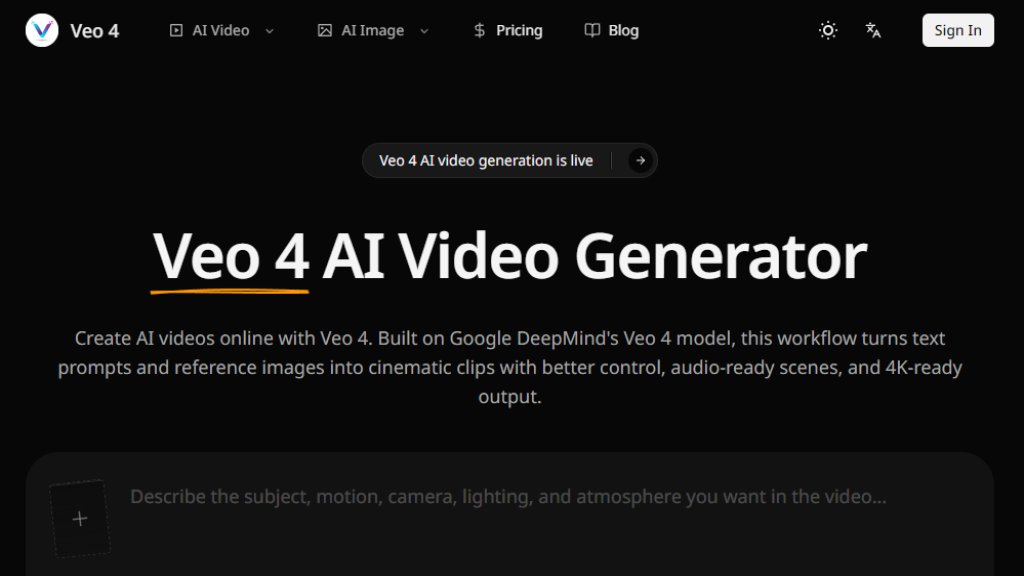
Veo 4 is an online AI video creation platform built on Google DeepMind's advanced Veo 4 model. It allows users to generate high-quality, cinematic video clips from text prompts and reference images. The platform focuses on providing creative control over camera motion, style, and audio cues, making it suitable for producing professional-looking videos for social media, ecommerce, product launches, training, and advertising. It supports multiple creation modes including text-to-video, image-to-video, and frame-to-frame control, enabling fast iteration and consistent visual output.
Main Features
- Multiple creation modes: text-to-video, image-to-video, frame-to-frame control, and multi-reference mode for character and object consistency.
- Quality-first clip specs: generate 720p or 1080p clips at 24fps in 4, 6, or 8 seconds, optimized for per-frame quality.
- Reference-guided consistency: use images and detailed direction to maintain product, character, and brand identity.
- Audio-ready output: plan videos with dialogue, ambient sound, and music cues for easier post-production.
- 4K-ready production direction: shape prompts for clean lighting, stable subjects, and premium composition.
- Clip chaining: chain multiple generations with shared prompts and references to create longer, consistent stories.
- Creative control: adjust camera motion, lens feel, shot size, pacing, and atmosphere directly in the prompt.
Use Cases
- Social media content: create short-form videos for TikTok, Instagram Reels, and YouTube Shorts with engaging hooks and visual stories.
- Ecommerce product demos: turn product images and feature descriptions into quick, compelling video demos for product pages and listings.
- Advertising and UGC: generate multiple ad concepts and UGC-style scenes for paid social campaigns, testing different hooks and angles.
- Launch teasers and announcements: build polished teaser clips and feature reveal videos for product launches and events.
- Training and educational videos: convert onboarding steps and process walkthroughs into clear visual explanations.
- Storyboarding and previsualization: explore scenes, camera movements, and visual direction before full production.
Supported Languages
- English
Pricing Plans
- Starter: $19.9/month (billed annually at $39.9/year). Includes 30000 credits per year (equivalent to 2500/month), up to 1200 videos per year, up to 15000 images per year, up to 4K video generation, all core AI models, priority processing, commercial usage rights, and normal support.
- Standard: $39.9/month (billed annually at $79.9/year). Includes all Starter features plus 72000 credits per year (equivalent to 6000/month), up to 2880 videos per year, up to 36000 images per year, fastest processing, and priority support.
- Premium: $69.9/month (billed annually at $159.9/year). Includes all Standard features plus 120000 credits per year (equivalent to 10000/month), up to 4800 videos per year, up to 60000 images per year, fastest processing, and priority support.
Frequently Asked Questions
Q: What is Veo 4 AI Video Generator?
A: It is an online AI video creation platform using Google DeepMind's Veo 4 model to generate videos from text and images with high creative control.
Q: What creation modes does Veo 4 support?
A: It supports text-to-video, image-to-video, frame-to-frame control, and multi-reference mode for consistency.
Q: What output specs can I expect from Veo 4?
A: You can generate 720p or 1080p clips at 24fps in 4, 6, or 8 seconds, with 4K-ready upscaling direction.
Q: Can Veo 4 create videos with audio or dialogue?
A: Yes, it supports planning videos with dialogue, ambient sound, and music cues for audio-ready output.
Q: Can I use generated Veo 4 videos commercially?
A: Yes, all paid plans include commercial usage rights.
Q: How does Veo 4 compare with Kling and Sora models?
A: Veo 4 focuses on premium cinematic clips, audio-rich scenes, and high-fidelity social content, while others may prioritize speed or storytelling depth.
Pros and Cons
Pros:
- High-quality, cinematic video output with good creative control.
- Multiple creation modes for flexibility.
- Audio-ready and 4K-ready features for production.
- Commercial usage rights included in paid plans.
Cons:
- Limited to English language support.
- Pricing requires annual subscription for best value.
- No free tier available.
Recommendation Rating
8/10 (A powerful tool for creating premium AI videos with great control and quality, but limited language support and no free plan may deter some users.)



Please login to post a comment
Login