What is Grok Automation?
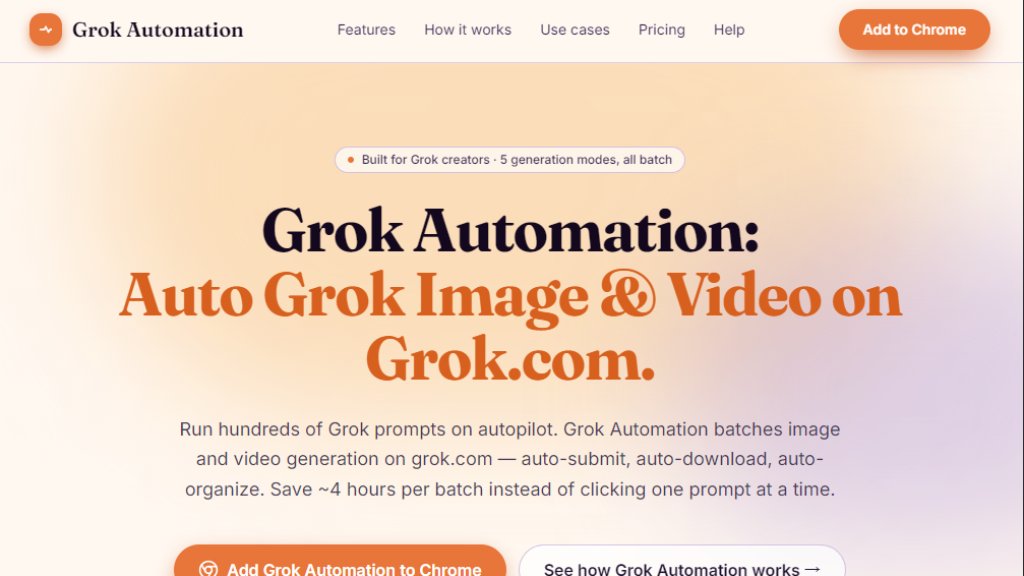
Grok Automation is a third-party Chrome browser extension designed for Grok.com users. It automates the process of generating images and videos using Grok's AI models. Instead of manually submitting each prompt, waiting for results, and downloading files one by one, Grok Automation lets you paste a list of up to hundreds of prompts, start a batch run, and then walk away. The extension handles submission, smart pacing to avoid rate limits, automatic retries, upscaling, downloading, and organization of outputs into project folders sorted by media type and aspect ratio. It supports all five of Grok's generation modes: Text-to-Image, Text-to-Video, Frame-to-Video, Ingredients-to-Video, and Image-to-Image. The tool runs entirely in your browser, meaning your prompts and generated content never leave your machine. It is not affiliated with xAI, the company behind Grok.
Main Features
- Auto Grok prompts: Continuously submits prompts on grok.com without manual clicking or tab monitoring.
- Batch 100+ prompts per run: Queue dozens or hundreds of prompts in a single run, with pacing adjusted to your account's limits.
- All 5 Grok generation modes: Text-to-Image, Text-to-Video, Frame-to-Video, Ingredients-to-Video, and Image-to-Image in one queue.
- Image-to-Image transforms: Restyle reference images at batch scale across whole folders.
- Text-to-Image with 5 aspect ratios: Auto-batch across 16:9, 9:16, 1:1, 2:3, and 3:2 without manual re-cropping.
- Text-to-Video with Concat mode: Chain clips into longer sequences within the same queue.
- Auto-upscale and auto-download: Results are upscaled and saved automatically; files are never trapped in a tab.
- Project folders and Character auto-match: Outputs are organized by media type and ratio, with filenames matching Character references for consistency.
- 1–6 concurrent prompts: Run up to 6 prompts in parallel, with throughput tuned to Free, Super Grok, or Grok Heavy accounts.
- Smart delays for long queues: Automatically detects rate limits, pauses the queue, persists progress, and resumes when quota returns.
- Real-time queue monitor: Live progress bar with status, ETA, and run history.
- 6-language UI: English, Vietnamese, Chinese, Korean, Japanese, and Spanish.
Use Cases
- YouTube creators: Generate 30 thumbnail variations in 16:9 in one batch, then compare side-by-side to pick the best.
- Short-form video makers: Batch-produce hook variants and b-roll in 9:16, stitch longer narratives with Concat mode, and post across TikTok, Reels, and Shorts from the same source batch.
- Indie game and app builders: Build a 200-asset concept library (characters, environments, item icons, store screenshots) across all 5 ratios in one queue, sorted into folders ready for import.
- Marketing and ad creative: Generate 40 ad variations (hook variants x visual variants x placement ratios) in one batch for A/B testing across Meta, Google, and LinkedIn.
Supported Languages
- English
- Vietnamese
- Chinese
- Korean
- Japanese
- Spanish
Pricing Plans
- Free: TBD (early access, free tier to try core automation)
- Pro: TBD (paid plan for larger batches and advanced controls)
- Studio: TBD (paid plan for even larger batches and more features)
Note: Pricing is being finalized. Users can join a waitlist for early-access pricing.
Frequently Asked Questions
Q: How is Grok Automation different from Grok Tasks?
A: Grok Tasks is xAI's built-in feature for scheduling chat tasks on a timer. Grok Automation batches image and video generation on the grok.com UI, queuing hundreds of prompts in parallel. Tasks are scheduled chat jobs; Grok Automation is parallelized creation. Most creators use both.
Q: What happens if I hit a rate limit?
A: Grok Automation detects the rate-limit signal, pauses the queue, persists your progress to local storage, and resumes when quota returns. If you close the tab, your queue is waiting when you come back.
Q: Is Grok Automation affiliated with xAI?
A: No. Grok Automation is an independent browser extension. It is not affiliated with, endorsed by, or sponsored by xAI Corp. Grok is a trademark of xAI Corp.
Q: Does Grok Automation upload my prompts or outputs?
A: No. Prompts and generated outputs never leave your browser. The extension keeps your prompt history, outputs, and folder layout on your device.
Q: Does Grok Automation work with Grok 4 or Grok Heavy?
A: Yes. The extension drives whatever model and feature is available in your grok.com session, including Grok 4 and Grok Heavy. Your account tier determines throughput, and the Smart Delay System adapts automatically.
Q: What browsers are supported?
A: Chrome is supported today. Edge support is on the roadmap. It generally works on Brave, Arc, and Vivaldi due to standard Chromium APIs, but they are not formally supported.
Pros and Cons
Pros:
- Saves hours of manual clicking by automating batch generation.
- Supports all five Grok generation modes in one queue.
- Auto-upscales, downloads, and organi



Please login to post a comment
Login